Most best X Twitter video downloader Chrome extensions lists online are copies of copies. Half the extensions they name don’t exist anymore, and a few never existed as Chrome extensions in the first place.
We checked all X twitter video downloader Chrome extensions below on the live Chrome Web Store this month. We checked the current rating, last update date, developer name, and permissions.
How We Verified the Best X Twitter Video Downloader Chrome Extensions
We pulled each Twitter video downloader Chrome extension directly from the Chrome Web Store. For every extension, we checked 4 things:
- the current rating,
- when it last shipped an update,
- who built it, and
- what it asks to access on your browser.
Anything unrated, abandoned since 2025, or built by an anonymous developer with no support contact got flagged or cut.
Best X Twitter Video Downloader Chrome Extensions Quick comparison
| Extension | Rating | Last updated | Cost | Best for |
| Media Harvest | 4.53/5 (1,253 ratings) | June 18, 2026 | Free | Overall pick |
| Plucker XBD | 4.85/5 (3,106 ratings) | August 16, 2026 | Free | Batch profile downloads |
| X (Twitter) Video Saver | 4.14/5 (7 ratings) | Active | Freemium | Cloud backup |
| Twitter Video/GIF Downloader | 3.5/5 (14 ratings) | August 11, 2026 | Free | GIFs and tall images |
| X Video Downloader 2026 | 5.0/5 (6 ratings) | February 13, 2026 | Free | Use with caution |
1. Media Harvest
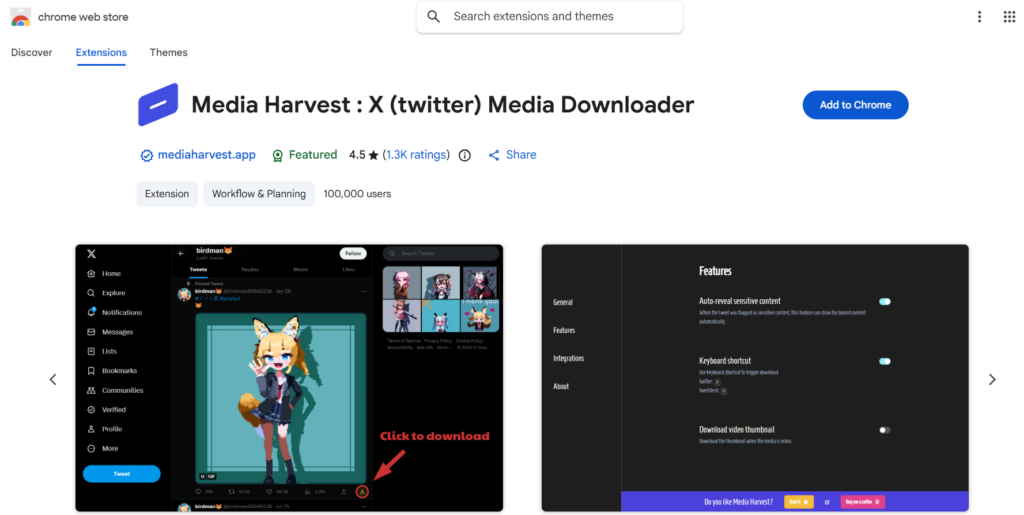
Media Harvest adds a download button to videos and images on X and TweetDeck. Click it, the file saves, no third-party site in between.
Features:
Custom filenames, keyboard shortcuts, auto-reveal for sensitive content, and a separate option to download just the video thumbnail. It does not do batch downloads, tweet crawling, or file compression, the developer states this directly in the store listing rather than hiding the limits.
Pricing: free. No premium tier.
Rating: 4.53/5 from 1,253 ratings, 100,000 users. Last updated June 18, 2026.
One warning worth repeating from the developer’s own listing: installing another download-manager extension alongside Media Harvest can cause a race condition, which shows up as broken or duplicate filenames. Disable competing download extensions if you run into this.
2. Plucker XBD

Plucker XBD downloads every image and video from an entire X profile in one pass, built by a developer listed as William.
Features:
- Batch download of all media from a profile
- custom filenames and folder paths
- a duplicate-detection system that skips tweets you’ve already saved
- a scrollable download history, and inline previews of images and videos without opening each post.
Pricing: free. All features are included, no premium tier or in-app purchase.
Rating: 4.85/5 from 3,106 ratings, 20,000 users. [Last updated August 16, 2026].
Reviewers consistently praise the speed and audio support. The recurring complaint across reviews is batch-naming: filenames sometimes come out garbled or ignore the naming rules you set.
A smaller number of reviews mention the extension occasionally failing to detect a video on a post, which means opening that tweet directly instead of grabbing it from a feed.
3. X (Twitter) Video Saver
X (Twitter) Video Saver puts a one-click download button on videos across your timeline, profiles, threads, replies, and quoted tweets.
Features:
- Automatic detection of the highest available MP4 quality
- 7 interface themes
- support for 60+ languages, and local-only processing through Twitter’s public syndication API, meaning no video passes through an external server.
- Premium unlocks custom file naming (date prefixes, username formats, nested folders by author or date), cloud sync to Google Drive and Dropbox, and priority support.
Pricing: freemium. The free version caps downloads per day. The store listing doesn’t publish an exact premium price, it’s shown inside the extension itself at checkout.
Rating: 4.14/5 from 7 ratings, 393 users, built by a developer listed as Neo Cortex. That’s a small sample size compared to the first 2 picks on this list, worth factoring in before you rely on it for anything heavy.
4. Twitter Video/GIF Downloader
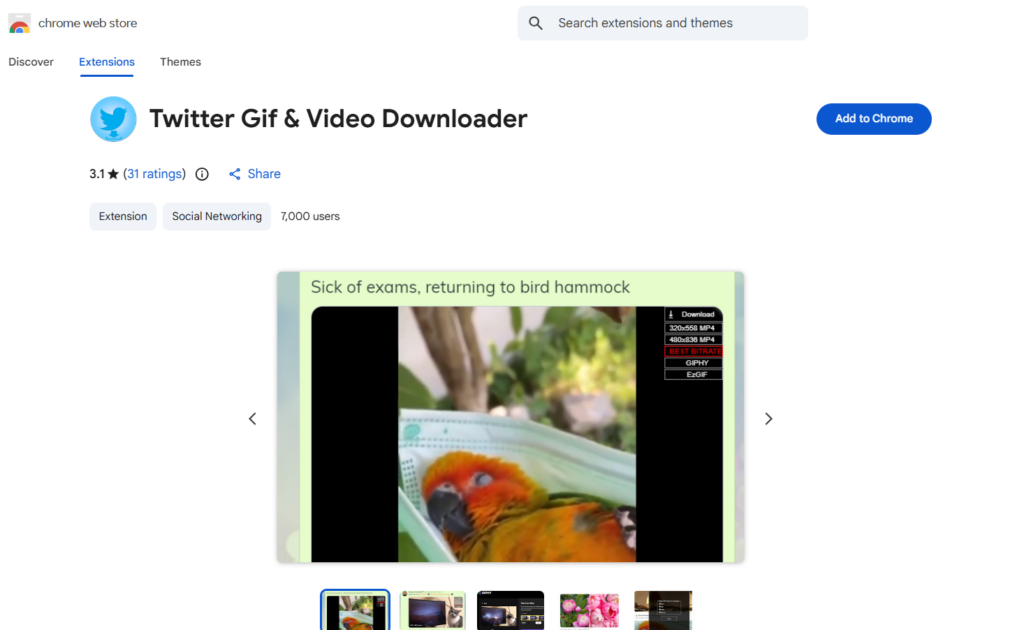
Twitter Video/GIF Downloader adds a download button to tweets with media and includes a built-in viewer that makes tall screenshots scrollable instead of squeezed into a thumbnail.
Features:
- Video downloads up to 4K where available
- GIFs saved as MP4
- images at original resolution (with an upgrade option up to 4096×4096 in the photo modal)
- batch download of all media in a single tweet
- smart file naming in the format username_tweetID_type_number.
The long-image viewer detects tall screenshots automatically and makes them scroll in place rather than opening a separate window.
Pricing: free. No ads, no premium tier, no subscription, per the developer’s own listing.
Rating: 3.5/5 from 14 ratings, 1,000 users. Last updated August 11, 2026.
This X Twitter video downloader Chrome extension does not redirect to an external site to complete downloads. That limitation belongs to a different, similarly named GIF tool. This one processes everything locally and saves straight to your Downloads folder.
5. X Video Downloader 2026
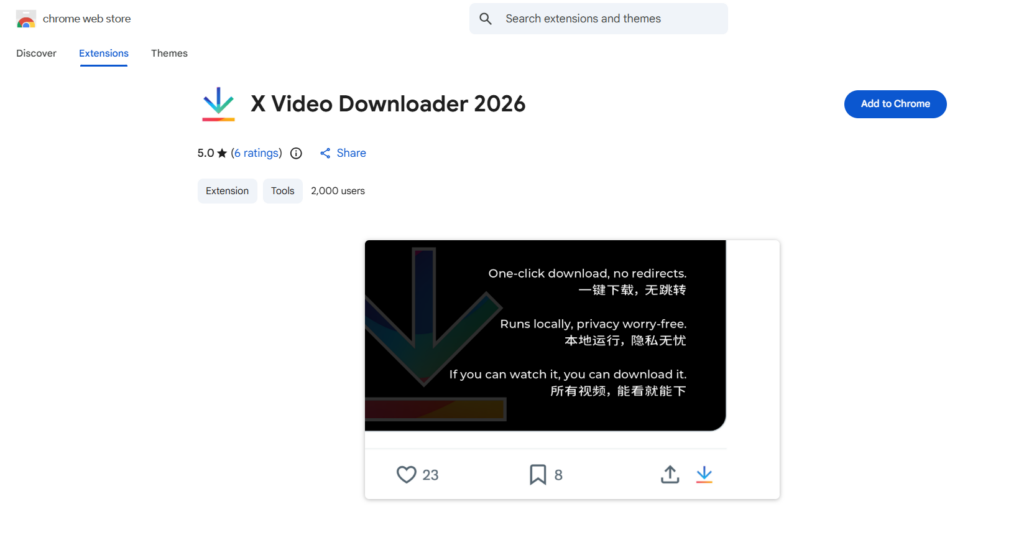
X Video Downloader 2026 puts a download button next to the Reply, Retweet, and Like icons on every tweet.
Features:
- One-click download in the best available resolution
- Support for tweets with multiple video clips
- Works on sensitive-content tweets
This X Twitter video downloader Chrome extension remembers your last-used save folder. It doesn’t reset the dialog every time. All processing happens locally.
Pricing: free.
Rating: 5.0/5, but from only 6 ratings and 2,000 users. Last updated February 13, 2026. Listed under a developer name of “legend,” not a company or identifiable individual.
Use this one with your eyes open. A perfect score from 6 reviews tells you almost nothing statistically, and there’s no public track record beyond this single listing.
It’s live and functional as of today, but it doesn’t have the review volume or developer transparency the first 2 picks on this list have.
Treat it as an option to try, not a confident recommendation.
What we cut from the usual “top 10” lists
Most roundups on X Twitter video downloader tools are copies of copies. A few names show up again and again: bulk multi-platform downloaders, “4K Chrome extensions,” tools that claim to batch-save from Twitter, YouTube, TikTok, and Instagram all at once.
Here’s the problem with naming those. 4K Video Downloader, the one most often cited, isn’t a Chrome extension at all. Chrome Web Store policy forbids extensions that download YouTube video, so tools like it live outside the store entirely as standalone desktop software with a separate browser helper. Calling it a “Chrome plugin” in a listicle is simply wrong.
We’re naming this because most “top 10” posts on this topic get built by copying each other, not by checking the Chrome Web Store directly. Every extension in this list, we did.
Is it safe to use X Twitter video downloader Chrome extensions?
Yes, as long as the extension only asks for access to x.com and twitter.com. Anything that requests “read and change all your data on all websites” for a job that only touches one site is asking for more than it needs.
Watch for these signs before installing one:
- Permissions scoped to “all sites” instead of just X and Twitter
- No changelog or visible update history
- Zero ratings, or a suspiciously perfect score from a handful of reviews
- Developer listed only as a generic name with no support email or privacy policy link
- No response to reviews flagging bugs or safety concerns
Every extension in this list keeps its permissions scoped to twitter.com and x.com, which is what you want to see.
Why do these X Twitter video downloader Chrome extensions randomly stop working?
X changes its internal API without warning. Every downloader on this list works by reading data through that API. So when X changes something, the Chrome extension to download Twitter videos breaks until its developer catches up and ships a patch.
This is normal for an actively maintained extension; you’ll usually see a fix within days or weeks. It’s permanent for an abandoned one.
That’s the real reason to check the X video downloader Chrome extension’s last update date before installing it.
Last Word
Media Harvest and Plucker XBD are the 2 best X Twitter video downloader Chrome extensions on this list with real track records. If you’re saving the occasional video, Media Harvest’s one-click simplicity is enough. If you’re archiving whole profiles, Plucker XBD’s batch download does more of the work for you. The rest of this list, including X Video Downloader 2026, are worth trying, but go in knowing their review history is thin. Whichever you pick, check the last update date before you install.
FAQs
Q#1. Can I download Twitter videos from a private or protected X account?
No. None of the extensions on this list can access protected accounts. They only work on public tweets.
Q#2. What’s the highest video quality I can download?
Whatever quality X stored when the video was uploaded. Most tweets top out at 1080p. A few extensions here advertise 4K support, but that only applies when the original upload was actually 4K, the extension can’t add resolution that isn’t there.
Q#3. Are any of these Chrome extensions for X Twitter video download completely free with no limits?
Media Harvest, Plucker XBD, Twitter Video/GIF Downloader, and X Video Downloader 2026 are fully free with no daily caps. X (Twitter) Video Saver is freemium. The free tier limits downloads per day, and a paid upgrade removes that cap plus adds cloud sync and custom file naming.
Q#4. Do these extensions work on mobile Chrome?
No. Chrome extensions only run on desktop versions of Chrome (Windows, Mac, Linux, Chrome OS). None of these work in Chrome on Android or iOS.
Q#5. Why did the download button disappear after an X update?
X occasionally changes its site code or API without notice, which can break the button until the extension’s developer ships a fix. Check the extension’s Chrome Web Store listing for a recent update, if it’s been patched in the past few days, updating the extension usually solves it.
Q#6. Is it legal to download Twitter videos from X?
Saving a public video for personal use is generally fine, but reposting someone else’s video elsewhere without permission can raise copyright issues. When in doubt, credit the original poster or ask before reusing their content commercially.
