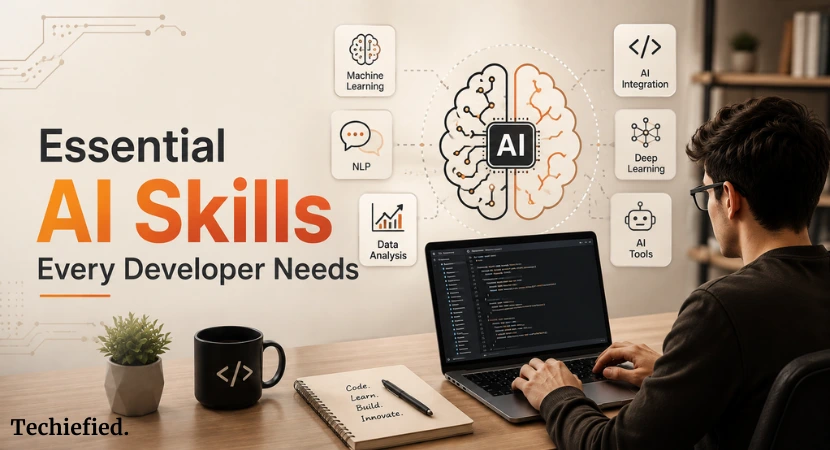
Writing code is no longer the hard part. A junior developer with Cursor open can ship a working CRUD app in an afternoon. That used to take a week and a senior engineer’s review.
So, the question worth asking is what you can do that the model sitting next to you in your editor cannot.
Ten answers follow. Save this list of 10 essential AI skills.
Test yourself against it in the next six months.
The comfortable lie developers tell themselves
“AI can’t replace real engineering judgment.”
That’s true. But the sentence avoids a harder one underneath it: most day-to-day coding tasks never required much judgment to begin with.
Wiring up an API route, writing a form validator, converting a Figma file into a component. None of that needed a senior engineer. It needed someone who knew the syntax.
AI now knows the syntax better than most people do.
What it doesn’t know, reliably and without hand-holding, is how to keep a probabilistic system behaving predictably once real users start hitting it with real inputs.
That gap is where developer career growth actually lives right now. Here’s the skill list built around it.
1. Prompt Engineering as an Engineering Discipline
Getting a chatbot to answer well once isn’t a skill worth putting on a resume. It’s a coin flip you happened to win.
The real skill is building a prompt that holds up across ten thousand different user inputs, six months from now, after three model version bumps.
What separates the two:
A prompt tweaked until the demo looks good will quietly fall apart the first week it meets real traffic. A prompt built like software, with a fixed test set, tracked versions, and a way to measure regressions, survives contact with production.
The concrete techniques worth actually learning:
- Structuring multi-step reasoning so the model shows its work before committing to an answer
- Curating few-shot examples that generalize, instead of ones that just happen to match your last bug report
- Locking down output format so the code parsing the response never has to guess
- Building defenses against inputs specifically crafted to hijack the prompt’s intent
Ask a developer to walk you through how they test a prompt before shipping it. Most will describe vibes. The ones who describe a process, with sample inputs, pass or fail criteria, a diff between prompt versions, are the ones who get handed the harder problems.
A prompt that survives five test cases and dies on the sixth isn’t finished. Finding case six before your users do is the actual job.
2. Knowing Whether Your AI Feature Actually Works
Shipping an AI feature is one skill.
Proving, with numbers instead of a gut feeling, that it’s still working three weeks later is a separate one.
Most teams find out their AI feature broke because someone complained on social media. That’s not quality assurance. That’s damage control with extra steps.
What real measurement looks like:
- A test set built from actual user queries, not the five clean examples someone made up for the demo
- A clear, specific definition of “good” for this particular feature, not a generic accuracy score
- Automated checks that catch a quality drop before a customer does
- A human review step for the edge cases no automated metric was built to catch
This matters more every quarter that passes. AI features keep moving into places where a wrong answer carries real weight: loan decisions, medical triage summaries, contract review. A model that silently gets worse in those settings has a cost measured in more than support tickets.
The developer who can show a dashboard proving quality held steady gets trusted with the features that matter. The one who says “seems fine to me” gets moved to something lower stakes.
3. Building Retrieval Systems That Retrieve the Right Thing
RAG stopped being a novelty around the time everyone’s tutorial feed filled up with RAG tutorials.
That’s part of the problem. Most RAG systems in production today were built by following one of those tutorials, and most of them retrieve confidently wrong information without anyone noticing until a user does.
Where it usually breaks:
- Documents get chopped into chunks by character count, splitting a sentence, or an idea, in half
- The embedding model was picked because it was popular, not because anyone tested it against this specific domain’s language
- The system returns text that’s mathematically similar to the query, which is not the same as text that actually answers it
- The context window gets stuffed with five loosely related chunks instead of the one that mattered
The skill that’s actually scarce is understanding the gap between “similar” and “relevant,” and knowing the toolkit for closing it:
- Reranking the initial results with a model built specifically to judge relevance
- Rewriting a vague user query into something more likely to match good source material
- Combining keyword search with semantic search, since each catches what the other misses
- Chunking around ideas and sections instead of arbitrary character counts
Copying a RAG starter template gets you a demo. Understanding why retrieval quietly fails gets you a system that still works after six months of real usage.
4. Catching Bad Model Output Before Your Users Do
Language models don’t reliably do what you told them to do.
Long instructions get partially ignored. Wrong answers get delivered with total confidence. A cleverly worded input can talk the model into ignoring its own guardrails.
None of this is a bug waiting on a patch. It’s a permanent property of the technology, and it has to be engineered around the same way developers engineer around network latency or a flaky third-party API.
The engineering discipline this demands:
- Validating that structured output actually matches the schema your code expects, before that code runs
- Screening responses for policy-violating content before a user ever sees it
- Checking that factual claims in the output actually trace back to something in the retrieved source material
- Flagging outputs that look statistically off: suspiciously short, oddly repetitive, or drifting from the topic
This used to be a nice-to-have. It’s turning into a baseline requirement, the same way input validation became non-negotiable for any form that touches a database. An AI feature operating in a consequential domain needs this layer, or it’s one bad output away from a real problem.
Get good at designing it, and you’re the person trusted with the AI feature that touches money or health records. Skip it, and you stay on the internal demo tools.
5. Designing Agents That Don’t Fall Apart Mid-Task
An AI agent isn’t a chatbot with a longer memory.
These systems are becoming part of broader AI workflow automation as developers connect models to tools and multi-step processes.
It’s a loop. The system forms a plan, picks a tool, acts, checks the result, and decides what to do next, repeating until the task is actually finished.
That loop introduces failure modes a normal chatbot never has to worry about.
- The agent gets stuck repeating the same failed step, convinced it’s making progress
- It picks the wrong tool for the job, or feeds a tool the wrong arguments
- It takes an action that can’t be undone, based on a misread instruction
The stakes of a failure are different too. A single wrong API response is annoying but recoverable. An agent that dies halfway through a five-step workflow, after step three already wrote to a database, can leave your system in a state nobody planned for.
The engineering skills this demands:
- Tool interfaces designed so the model is more likely to use them correctly
- Checkpoints where a human signs off before anything irreversible happens
- Explicit loop detection, so the agent stops instead of spinning
- Handling for partial failure that doesn’t just crash and leave a mess
- Evaluation that scores the path the agent took, not only whether it arrived at the right answer
Every large tech company is quietly staffing up internal agent teams right now, and the number of people who can build these reliably falls well short of demand. Of everything on this list, this is the skill with the shortest runway before “nice to have” becomes “expected on your resume.”
6. Working Across Text, Images, Audio, and Video
Text-only AI is turning into a special case rather than the default.
Developers working with images, audio, and video are also finding more practical uses for AI in creative workflows.
Vision models read screenshots, scanned forms, and photos. Audio models transcribe and interpret spoken conversation. Video models can describe what’s actually happening on screen. A growing number of models handle several of these inputs in a single call.
Most developers have only ever built against a text API. Fewer know how to:
- Combine multiple content types in a single request without the interface turning into a mess
- Design around the added latency multimodal processing brings, especially for video
- Build a UI where it’s obvious to the user which content type they should be providing
- Judge output quality when “correct” is fuzzier than it is for a text completion
Getting comfortable with this now, before it’s a job requirement, puts you a full product cycle ahead of the developers who wait until a manager tells them to learn it.
7. Making AI Features Cheap Enough to Stay in Production
At any real scale, AI API spend isn’t a line item to tidy up later. It’s a constraint that decides whether the feature ships at all.
The difference between a naive integration and a properly engineered one routinely runs three to ten times in monthly cost, for the exact same user-facing behavior.
What cost-conscious engineering actually involves:
- Caching semantically similar queries so the model isn’t re-answering the same question in different words
- Routing easy requests to a cheap, fast model and reserving the expensive one for tasks that need it
- Trimming prompts down without quietly degrading the answers they produce
- Decoupling the user’s experience from the model’s inference time with async processing
- Cutting off streamed output early the moment it’s clear the user has what they need
Traditional infrastructure cost doesn’t scale this way. A database query costs about the same whether it returns one row or a thousand. A language model call costs more, linearly, for every token it generates. That’s a fundamentally different cost model, and treating it like a normal API bill is how a feature that looked cheap in testing gets pulled after the first real invoice.
The engineer who designs around this ships something that survives. The one who doesn’t ships something that gets killed in a budget review.
8. Fine-Tuning Models Without Wrecking Them
A general-purpose model knows a little about almost everything.
It doesn’t know your product’s specific jargon, your industry’s edge cases, or the exact output shape your application expects, not without help.
Fine-tuning is how you give it that. Done right, the resulting model beats the general one on your specific task, often by a wide margin, while running smaller, faster, and cheaper.
Done wrong, it does the opposite:
- Memorizes the training examples instead of learning the underlying pattern
- Loses general capabilities the base model had before you touched it
- Looks great on the training set and falls apart on real traffic
Running the training script isn’t the hard part. Any tutorial covers that. The actual skill is:
- Knowing when fine-tuning is worth it versus when a better prompt would’ve solved it in an afternoon
- Building a training dataset that teaches the right generalization, not just memorization
- Evaluating the fine-tuned model rigorously instead of eyeballing a few outputs
- Managing what happens to your fine-tuned model every time the base model gets updated underneath it
As the tooling gets cheaper and more accessible, the developers who know how to do this correctly, not just kick off a training run, are the ones trusted with the specialized models that actually matter to the business.
9. Defending AI Systems Against Attacks Traditional Security Never Covered
AI systems open up attack surfaces that a standard security training never mentions.
This is one reason companies increasingly need to adapt existing software for AI-driven systems rather than treat AI as a separate layer.
Prompt injection hides malicious instructions inside content the model will process as input. A user uploads a resume for an AI screening tool. Buried in white text at the bottom sits an instruction telling the model to recommend the candidate regardless of qualifications. A naive system follows it.
Data poisoning manipulates the training or retrieval data itself, so the model’s behavior gets quietly warped from the source rather than the prompt.
Model extraction uses carefully constructed queries to reverse-engineer a proprietary model’s behavior, effectively stealing the product through the API.
None of this is hypothetical. These are active techniques being used against production systems that handle real, sensitive data today.
The defensive skill set:
- Sanitizing input in a way that actually catches injection attempts, not just obvious ones
- Verifying the provenance of anything a retrieval system pulls in before trusting it
- Monitoring output for behavior that doesn’t match the expected pattern
- Rate limiting and pattern analysis to catch the query volume an extraction attempt requires
As AI takes on more sensitive work, financial decisions, health information, private communication, the security bar rises with it. The developer who can design for this offers something most of their peers simply can’t.
10. Telling People, Clearly, What AI Can’t Do
Most developers wouldn’t list this as a skill. It’s becoming one of the most valuable on this list.
Traditional software fails with a stack trace. Something breaks, an error fires, someone gets paged. It’s loud and it’s obvious.
AI systems fail quietly. The wrong answer comes back looking exactly as confident as the right one would have. No error. No page. Just a user acting on bad information because nothing signaled that anything was wrong.
The skill is being the person who can:
- Tell a product manager, plainly, that a feature will be wrong some meaningful percentage of the time, and walk through what that actually means for how it should be designed
- Build an interface that communicates model confidence in a way a non-technical user can actually act on
- Set expectations about what the system can and can’t be trusted to do, before launch rather than after the first incident
- Recognize when a rule-based system would genuinely serve users better than an AI one, and say so
The developer who does this well ships fewer disasters and gets handed more consequential decisions, because leadership has learned they’ll hear the truth before launch instead of after.
This isn’t a pure engineering skill. It sits at the intersection of technical depth and plain communication, and it’s a gap most developers don’t realize they have until it costs them.
The one thing underneath all ten
Every skill above traces back to the same root capability.
Thinking clearly about what an AI system will and won’t do reliably. Under which conditions. In what ways it fails. Across the full messy range of real user input, not the clean set of examples in a demo.
That capability doesn’t come from using AI tools well. It comes from building AI systems, watching them break in ways you didn’t predict, measuring what actually happened, and fixing it based on evidence instead of instinct.
The developers who are ahead by the end of 2026 won’t be the ones with the flashiest AI tool stack. They’ll be the ones who spent real time on the builder’s side of the interface: shipping, breaking, measuring, and building judgment the slow way.
That judgment doesn’t decay. It compounds.
Every month spent building it makes you harder to replace. Every month spent skipping it makes you easier to.
Quick recap
- Prompt engineering: treat prompts like shipped software, not one-off chat messages
- Evaluation: measure quality with real numbers, don’t wait for complaints
- RAG architecture: understand why retrieval fails and how to fix it
- Output validation: catch bad responses before users see them
- Agent design: build multi-step systems that fail gracefully instead of catastrophically
- Multimodal integration: text-only is now the exception, not the rule
- Cost engineering: the gap between naive and optimized can run 3 to 10x
- Fine-tuning: know when it’s worth doing and how to do it without breaking the model
- AI security: defend against attack surfaces standard security training skips
- Communicating limitations: the conversation before launch matters as much as the code
