Are you tired of paying endless monthly subscriptions for bloated software that drags down your machine’s performance? You aren’t alone. The creative industry in 2026 is undergoing a massive shift. We are finally moving towards a new wave of lightweight AI tools for creatives and single-purpose web apps.
It’s not just single-purpose tools either — how far general AI assistants have come shows the same shift toward lighter, faster, more capable creative workflows.
Built primarily by indie developers and solo founders solving their own workflow bottlenecks, these tools are designed to do exactly one thing flawlessly.
Whether you need cinematic 3D mockups in seconds, infinite abstract gradients, or just a smarter macOS dock to keep your focus intact, the current landscape of creative SaaS is fast, powerful, and delightfully affordable.
If you are a UI/UX designer, brand specialist, or solo founder looking to upgrade your asset creation without adding another $30/month charge to your credit card, you are in the right place.
Here are the 9 best design web apps and AI tools for creatives you need to bookmark today.
Quick Comparison Table for Best AI Tools For Creatives
A fast scan of all 9 best AI tools for creatives before you commit to any one workflow.
| Tool | Best for | Free tier? | Key features | Export types | Unique strength |
|---|---|---|---|---|---|
| Backgrounds.supply | AI background generator for designers | No (one-time $49) | 1,273 backgrounds, 29 collections, monthly drops | PNG, JPG | Curated, no prompting needed |
| Mocku.co | AI mockup creator for products | Credit-based | 80+ product mockups, 100+ AI style scenes | PNG | Style-scene variety beats template-only tools |
| Krea.ai Agent | AI creative production from briefs | Yes, 100 units/day | 150+ models, multi-step workflows, brand research, image/video generation, context library | Images, video, audio, PDFs, converted formats | One agent orchestrates multiple AI models and the entire creative workflow |
| Ultramock.io | 3D cinematic device mockup tool | Yes | Depth-of-field blur, drag-to-rotate, video beta | PNG, MP4 (Pro) | Apple-keynote look with zero Photoshop |
| Animos.app | Motion template tool for design showcases | Unclear (verify) | 25 animation templates, browser-based | MP4, WebM | No motion-design skill required |
| Ditther.com | Dither effect generator for images & video | Yes (full core toolkit) | 8 pixel effects, local processing, no account | PNG, MP4 (1080p free / 4K Pro) | Runs entirely client-side, privacy-first |
| Selected.site | Framer template directory | Yes (browsing) | Live daily ranking of Framer marketplace templates | N/A (directory) | Discovery layer, not a design tool |
| Dock.cool | macOS dock widget app | No (one-time $15–29) | Live widgets: music, calendar, dev tools, revenue stats | N/A (native app) | Second Dock built for founders/devs |
| Gradientool.com | Gradient generator tool for creatives | Yes (limited export) | Parametric gradients, grain, animation, code export | PNG, JPG, MP4, code | Animatable, exportable as code, not just a static maker |
A pattern worth noting before you scroll further: half of these tools are one-person-built, one-time-payment SaaS products.
That’s not a knock. It usually means faster iteration and lower long-term cost than a subscription-based AI mockup generator from a bigger company, but it also means you should verify pricing yourself before you rely on it for client billing.
9 Top AI Tools For Creatives: Features, Pricing & Use Cases
Let’s get into each AI tool for creatives in detail:
Backgrounds.supply — A Curated AI Background Library, Not Another Prompt Tool
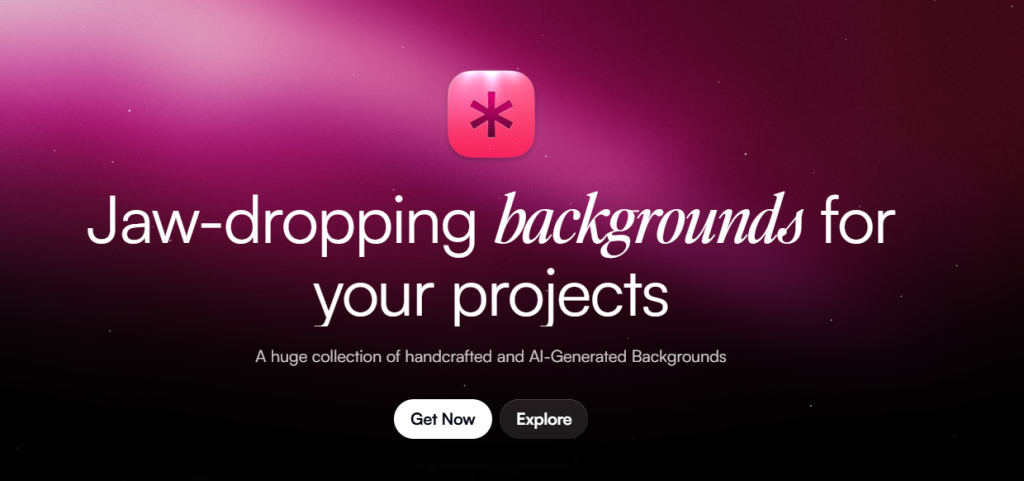
Backgrounds.supply solves the “I don’t want to prompt Midjourney for the 40th time” problem with 1,273 ready-to-use backgrounds across 29 collections, sold as a one-time $49 purchase with a commercial license.
Instead of spending hours tweaking prompts in Midjourney or wrestling with gradient meshes in Illustrator, this AI creative tool gives you production-ready, ultra-high-resolution backgrounds.
What it does
Designed by Kailash, Backgrounds.supply is a library, not a generator. You browse curated collections of handcrafted and AI-made gradients, textures, and wallpapers, then drag the file straight into Figma, Framer, Canva, or After Effects.
Key features
- 1,273 backgrounds across 29 collections
- Monthly new drops included in the purchase
- Works with any tool that accepts image uploads
- No prompting, no cleanup, no trial and error
Pricing
Pricing: $49 (One-time payment for lifetime access, commercial license, and future monthly drops).
Pros:
- Zero prompt engineering, files are production-ready on download
- One-time cost beats a recurring AI background generator subscription over time
Cons:
- No free tier to test quality before buying
- You’re locked into one creator’s aesthetic, not infinite AI variation
Best for
UI/UX designers, motion designers, and agency founders who need instant, high-quality backdrops for landing pages, pitch decks, and social media banners.
For many freelancers and solo creators, assets like these have become part of the services and digital products they sell online.
Quick how-to: get a hero background in 3 steps
- Browse a collection that matches your brand palette
- Download the PNG or JPG at full resolution
- Drop it into your design tool as a background layer, no editing needed
Can I use Backgrounds.supply images for commercial client work?
Yes. The license covers client projects, apps, ads, social media, and motion work. You just can’t resell the backgrounds themselves as a standalone product.
Mocku.co — An AI Mockup Creator With More Style Scenes Than Templates
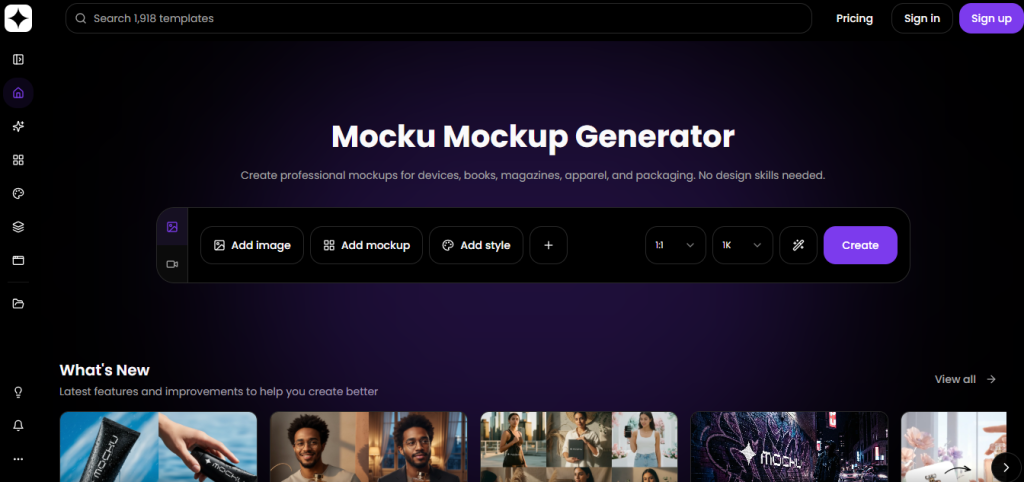
Forget downloading massive PSD files just to put a logo on a t-shirt. Designed by Solt Wagner too, Mocku.co is a next-generation AI mockup generator that covers everything from iPhones to coffee bags, street posters, and streetwear.
Mocku.co covers 80+ product mockups (devices, apparel, packaging, print) and pairs each one with 100+ AI-generated style scenes. So, the same T-shirt mockup can sit in a studio shot, a botanical scene, or a neon-lit street in a few clicks.
That style-scene layer is what separates it from a flat template library.
What it does
You pick a product (an iPhone, a tote bag, a coffee bag), upload your design, then choose from dozens of AI-rendered backdrops instead of a single static template.
Key features
- 80+ product categories: devices, apparel, packaging, print, outdoor
- 100+ styles for the exact aesthetic of the scene (e.g., Moss & Stone Organic, Neon Tokyo, or Minimal White Studio)
- AI Style references reusable across multiple product types
- Browser-based, no software install
Pricing
Freemium (requires an account to generate AI-styled mockups).
Pros:
- Style-scene variety is genuinely wider than most flat mockup libraries
- Upload your design and apply it to an extensive library of physical items.
- Covers niche products (protein powder pouches, motocross helmets) most generators skip
Cons:
- Credit system makes cost prediction harder than a flat monthly or one-time fee
- No confirmed free tier limits at the time of writing
Best for
Brand designers, eCommerce owners, and packaging designers who need consistent, heavily stylized product shots without hiring a photographer.
Quick how-to: get a product mockup in 3 steps
- Select your product type from the mockup library
- Upload your design or logo file
- Choose a style scene and export the rendered mockup
Does Mocku.co offer free mockup downloads?
It runs on a freemium system , so confirm current credit costs on their pricing page before relying on it for paid client work.
Krea Agent
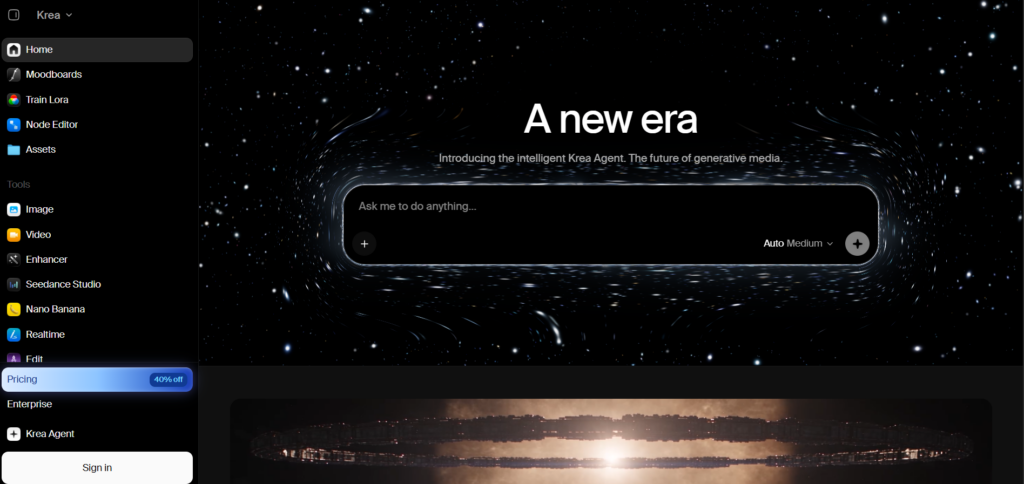
Krea Agent turns a simple creative brief into production-ready images and videos by researching your brand, choosing the right AI models, generating assets, reviewing them, and organizing everything in a shared context library. It can work across 150+ image, video, audio, and enhancement models, with the agent handling model selection instead of making you switch between tools.
What it does
Krea Agent is a browser-based AI creative production agent. Give it a brief, product photo, website, or brand reference, then describe what you want to make. The agent plans the workflow, selects the appropriate models, generates and edits the assets, and organizes the finished files in your project library.
Key features
- Multi-step creative workflows covering research, generation, review, editing, and export
- Access to 150+ image, video, audio, and enhancement models
- Brand research and shared context library for keeping projects organized
- Generates and edits images and videos from a conversational brief
- Can save repeatable workflows as skills for future projects
Pricing
Krea has a free plan with 100 compute units per day, no credit card required, and access to Krea 2 image generation and Krea Agent. The free tier does not include the full model library, video models, commercial license, or several advanced tools.
Paid plans start at $9/month for Basic, with 5,000 compute units. Pro is $35/month with 20,000 units and access to all video models. Annual billing is currently listed at lower effective monthly prices.
Verify current pricing before publishing, as Krea’s plans, model access, and compute-unit allowances can change.
Pros:
- Handles the entire creative workflow instead of forcing you to jump between separate AI tools
- Automatically selects models based on the task
- Free tier gives you a practical way to test Krea 2 and the Agent
Cons:
- Free access is limited to 100 compute units per day and does not unlock the full model library
- The Agent is still a beta product, so some jobs can fail and require a retry
- It creates visual assets rather than editable production assets such as CAD geometry or 3D meshes in its 3D visualization workflow
Best for
SaaS teams, marketers, designers, agencies, and creators who want to turn a brief into a complete set of branded visual assets without manually choosing and switching between multiple AI models.
Quick how-to: create a finished visual in 3 steps
- Give Krea Agent your brief, product photo, website, or brand references
- Describe the visual you want and let the Agent research, plan, generate, and refine it
- Review the results, request changes, and export the finished image or video from your project library
Which tool turns a creative brief into finished AI visuals?
Krea Agent does. It combines research, model selection, image and video generation, editing, review, and asset organization in one conversational workflow. The free plan provides 100 compute units per day, while paid plans unlock broader model and video access.
Ultramock.io — The Fastest Way To A Cinematic 3D Device Mockup
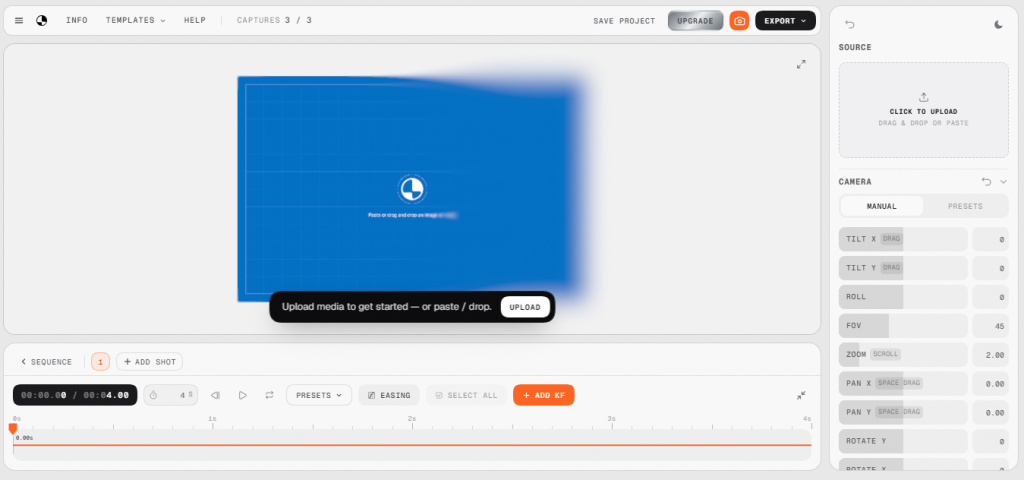
Ultramock.io turns a flat screenshot into a cinematic 3D mockup with real depth-of-field blur in about 30 seconds, free to use daily, with Pro unlocking video export for roughly $30 one time.
Designed by Josh Millgate, it brings cinematic, real-time 3D rendering directly into your browser. It’s built specifically to fix the “my screenshot looks boring” problem indie founders complain about most.
What it does
Ultramock.io is a browser-based 3D device mockup tool. Upload a screenshot, drag to rotate it in 3D space, pick a blur style (tilt-shift, radial, lens, or directional), and export a high-resolution image that looks shot for an Apple keynote.
Key features
- Real depth-of-field blur, four styles to choose from
- Drag-to-rotate 3D positioning
- Free daily use, no device limit currently
- Video export in beta for Pro users
Pricing
Free to use (exports include watermarks). Pro is a $29.99 one-time payment for 3x unwatermarked exports and full video timeline features.
Verify the current price as launch pricing on solo-built tools moves fast.
Pros:
- Genuinely cinematic output with almost no learning curve
- Free tier is usable, not a crippled trial
Cons:
- Pricing model may shift from one-time to subscription for new users
- Video export is still in beta, so treat it as unreliable for deadline work
Best for
SaaS founders, product designers, and marketers who need premium product visuals in seconds.
Quick how-to: get a cinematic mockup in 3 steps
- Upload your app or website screenshot
- Drag to rotate and pick a depth-of-field blur style
- Export the high-res image, or the beta video if you’re on Pro
Which tool makes cinematic device mockups without Photoshop?
Ultramock.io does. It’s browser-based, free for daily image exports, and produces the depth-of-field “Apple keynote” look in about 30 seconds.
Animos.app — Browser-Based Motion Templates
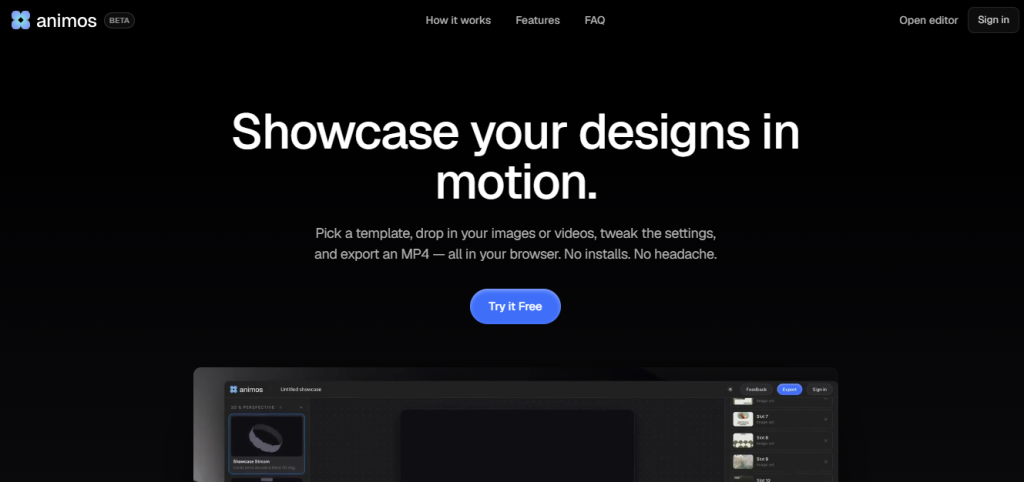
Animos is a streamlined web app for creatives, designed to present static designs dynamically.
Animos.app offers 25 ready-made animation templates for showcasing product shots, portfolio reels, and social previews, all rendered in the browser with no motion-design software required.
What it does
Animos.app lets you drop an image or video into a pre-built animation template, adjust it to fit, and export as MP4 or WebM directly from your browser, making it a useful addition to broader AI video editing workflows.
Key features
- 25 ready-made animation templates
- Accepts both image and video input
- Browser-based, no install
- You simply insert your UI designs or static images, and the tool wraps them in smooth, professional motion sequences
Pricing
Free/Freemium (currently in early stages).
Pros:
- No motion-design skill needed to get a polished output
- Works with both static images and video source files
Cons:
- Pricing model is unconfirmed, which makes it hard to recommend a budget for this
- Only 25 templates, smaller library than most rivals in this category
Best for
UI/UX designers building Dribbble or Behance case studies or Twitter portfolios who want to add motion to their work without learning After Effects.
Quick how-to: get an animated preview in 3 steps
- Choose an animation template that fits your content type
- Drop in your image or video and adjust positioning
- Export as MP4 or WebM
Is Animos.app free?
Yes. Animos.app is free at the time of writing (beta phase), and it includes browser & template-based export
Ditther.com — A Free, Browser-Based Dither And Halftone Effects Tool
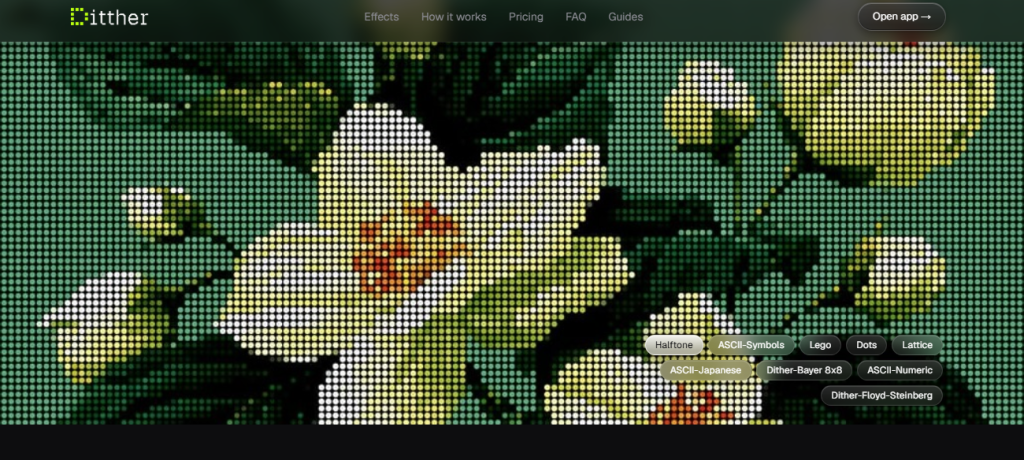
Built by Aashish (@blurrhaus), Ditther is a wildly fun, fast, and free browser tool that turns any image or video into retro-styled pixel art.
Ditther.com gives you eight-pixel effects (dither, ASCII, halftone, Lego, voxel, dots, Bayer matrix, LED) completely free, with everything processed locally in your browser so your images never touch a server.
That local-processing detail is verified directly from the site and matters if you’re handling unreleased client work.
What it does
Ditther.com is a browser tool that converts any image or video into a stylized pixel effect. You upload a file, hit Shuffle to randomize the look, then fine-tune the effect, duotone, and animation settings before exporting.
Key features
- 8 pixel effects: dither, ASCII/characters, Lego, voxel, halftone, dots, Bayer matrix, LED
- Full duotone and animation system included free
- 9 look presets plus 2 animation presets on the free tier
- Local, in-browser processing, no account or upload to a server required
Pricing
Core tools are 100% Free (up to 1080p exports). The Pro version is $29 (one-time purchase) and unlocks 4K image/video exports, premium look presets, and 500+ backgrounds.
Pros:
- The free tier is not a crippled trial, it’s a genuinely usable full toolkit
- Local processing means no privacy concern for unreleased work
Cons:
- Only 8 effect categories, so if you need more variety you’ll outgrow it
- 1080p cap on free exports may not be enough for print or large-format use
Best use cases
- Designers chasing the retro pixel/dither aesthetic trending in social and album art
- Anyone who wants to avoid uploading unreleased client images to a third-party server
Quick how-to: get a halftone effect in 3 steps
- Drop an image or video into the browser tool
- Select the Halftone effect and adjust dot size and density
- Export at 1080p free, or 4K if you’re on Pro
Is Ditther.com actually free, or is that a trial?
It’s free forever for the core toolkit, not a time-limited trial. No account is required. Pro is a one-time $19 payment (discounted from $29) for 4K exports and the premium background library.
Selected.site — A Framer Template Directory, Not A Design Tool
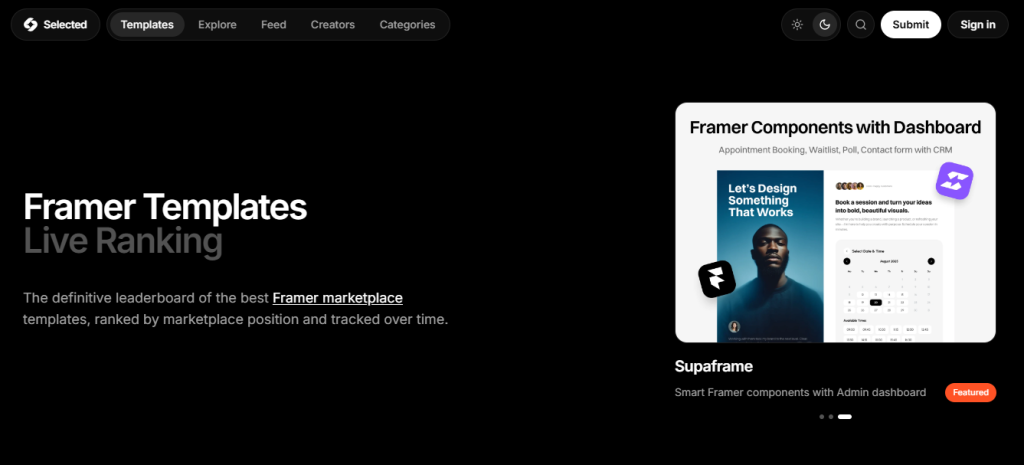
Selected.site is a live, daily-updated ranking of Framer marketplace templates.
Framer has exploded as the go-to website-based AI tools for creatives. Created by Solt Wagner, Selected.site acts as the definitive live marketplace ranking for Framer templates.
What it does
Selected.site tracks and ranks templates from the Framer marketplace, updated daily, so you can see what’s currently popular or trending before you commit to a purchase.
Key features
- Daily-updated ranking of Framer marketplace templates
- You can filter by categories like Agency, AI, Portfolio, SaaS, or Free.
- Tracks over 6,900 templates, ranking them by marketplace position and tracking their 30-day popularity trend.
- Functions as a discovery directory, not an editor
- No account required to browse
Pricing & limits
Free to browse.
Pros:
- Saves time versus manually filtering the full Framer marketplace
- Daily updates mean the rankings reflect current demand, not stale data
Cons:
- It’s a directory, so you still need Framer itself and a separate template purchase
- No confirmed pricing details, template count, or ranking methodology beyond “daily updated”
Best use cases
Web designers and freelancers who want to see which Framer templates are currently trending or converting best before starting a new client build.
Quick how-to: find a trending Framer template in 3 steps
- Visit Selected.site and browse the current daily ranking
- Filter or scan by category to match your project type
- Click through to the Framer marketplace to complete the purchase
Dock.cool (Cooldock) — A Second Macos Dock Built For Live Widgets
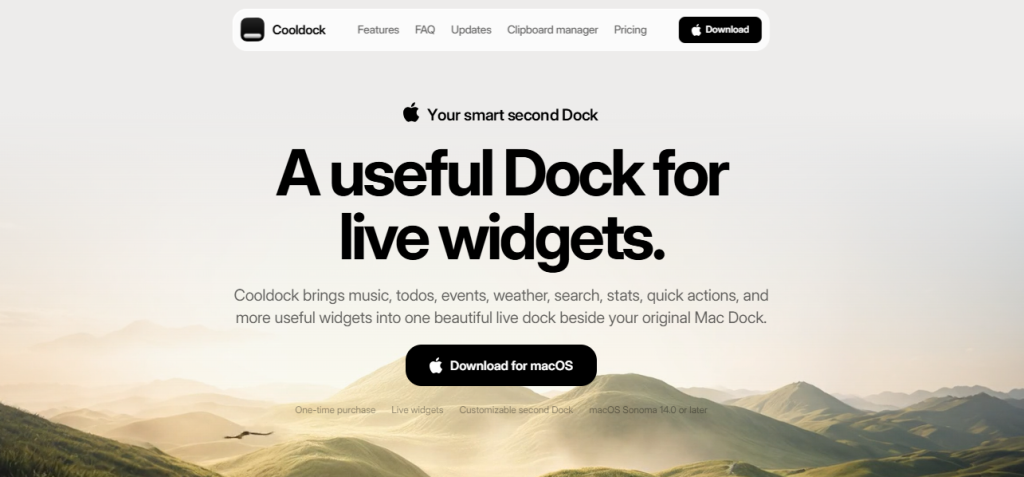
Another brilliant AI tool for creatives by Solt Wagner, Cooldock (Dock.cool) rethinks how you interact with your Mac. It adds a secondary, highly customizable dock right next to your native macOS dock (requires macOS 14 Sonoma or later).
It’s the only tool in this list that isn’t about visuals at all, it’s a workflow utility, but it earns a spot if your creative work runs alongside client dashboards and dev tools all day.
What it does
Cooldock sits beside your original macOS Dock and displays live, interactive widgets instead of static app icons. You add apps, folders, calendar events, weather, clipboard history, or third-party service data (GitHub, Linear, Supabase, Stripe-style revenue stats) into one customizable bar.
Key features
- You can add a clipboard history manager, live weather, Spotify/Apple Music controls, Pomodoro timers, GitHub issue trackers, and even Shopify revenue stats.
- Native macOS app, requires macOS Sonoma 14.0 or later
- Local-first, described on the site as privacy-first
Pricing & limits
$15 for 1 device, or $29 for up to 3 devices. (One-time payment, no subscriptions).
Pros:
- One-time cost instead of a recurring subscription for a utility you’ll use daily
- Genuinely useful for founders/devs who want revenue, GitHub, or Linear stats visible without switching apps
Cons:
- macOS only, and requires a fairly recent OS version (Sonoma 14+)
- Early-user pricing language suggests the price may rise, so today’s number isn’t guaranteed to hold
Best use cases
Power users, developers, and founders who want their most important daily metrics and quick-actions visible without cluttering their menu bar.
Quick how-to: set up your first widget in 3 steps
- Download and install Cooldock for macOS
- Choose a widget category (productivity, dev tools, founder metrics)
- Drag it into your second Dock and customize its position
Is Dock.cool a one-time purchase or a subscription?
Yes, a one-time purchase at the time of writing.
Gradientool.com — A Parametric Gradient Generator With Animation And Code export
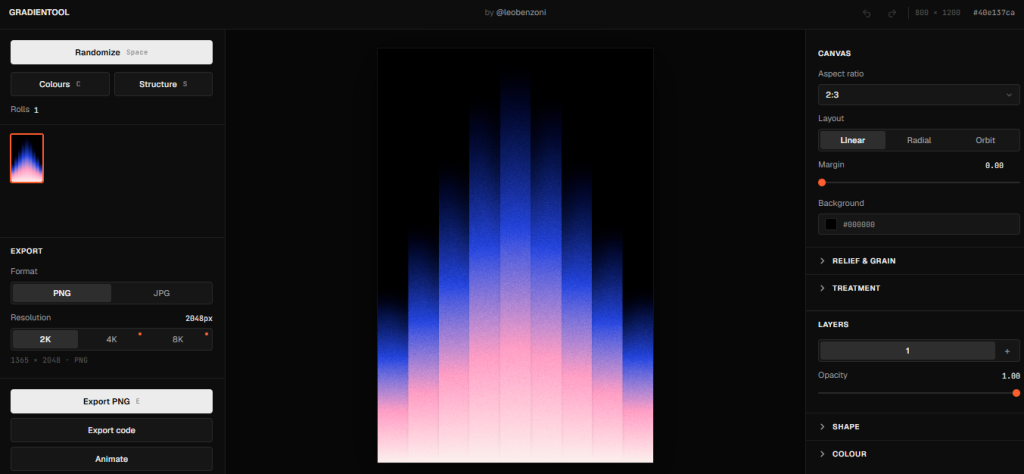
Gradientool.com goes beyond a flat gradient picker, letting you build layered, animatable gradient and pattern art with grain, relief, and duotone treatments, then export as PNG, JPG, MP4, or raw code.
Designed by Leo Benzoni, Gradientool is an obsessive, deeply customizable abstract gradient art-based AI tool for creatives.
What it does
Gradientool.com is a browser-based generative design tool. You randomize or manually adjust structure, color, and layout parameters (linear, radial, or orbit layouts; pyramid, wave, or noise shapes) to produce unique gradient-based visuals, then animate and export them.
Key features
- Linear, radial, and orbit layout structures
- Relief and grain treatments (top shadow, 3D depth, seam, grain intensity)
- Shape system: pyramid, wave, noise with adjustable peaks, direction, and jitter
- Animation controls: easing, ping-pong, loops, cycle offset, delay
- Export as PNG or JPG (resolution options up to 8K shown on the tool), MP4, or exported code
Pricing
Free to use in the browser. “Pro” is a $6 one-time payment to unlock 4K/8K still exports and up to 2160p video exports.
Pros:
- Genuinely differentiated from flat gradient makers, animation and code export are rare in this category
- One-time payment model confirmed, no subscription trap
Cons:
- Exact pricing and free-tier limits are unconfirmed, so budget planning requires a manual check
- Steeper learning curve than a simple two-color gradient picker, given the number of parameters
Best for
Visual artists, brand designers, and creatives looking for highly custom, mathematically beautiful abstract assets.
Quick how-to: generate a gradient background in 3 steps
- Hit Randomize to generate a starting structure and color combination
- Adjust layout, shape, and grain/relief sliders to refine the look
- Export as PNG, JPG, MP4, or code depending on your use case
Can I animate gradients with Gradientool.com?
Yes. It includes a full animation system with easing curves, ping-pong loops, and cycle offsets, and can export the result as an MP4 or as code, not just a static image.
How to Choose AI tools for Creatives
Three questions get you to the right tool in under a minute. Work through them in order.
Step 1: What do you actually need?
Mockups, backgrounds, or motion are three different jobs. Don’t buy a background library when what you need is a device mockup.
Step 2: What output format matters?
Static image, video, or animated preview each point to a different tool. A gradient PNG and an exported MP4 aren’t interchangeable in a client deck.
Step 3: Does it fit your existing workflow?
If you live in Figma, Framer, or Sketch, check that the export format drops in cleanly before you pay for anything.
Tool-match cheat sheet:
- Need animated UI previews → Ultramock.io or Animos.app
- Need a stylized pixel/dither look → Ditther.com
- Need a fast, no-prompt background → Backgrounds.supply
- Need product mockups with varied scenes → Mocku.co
- Need a unique gradient background with texture → Gradientool.com
- Need a Framer template starting point → Selected.site
- Need dashboard-style widgets while you work → Dock.cool
Most working UI/UX designers end up with three or four of these AI tools for creatives in rotation, not one all-in-one tool.
Integration & Workflow Tips For These AI Tools for Creatives
- Figma, Framer, Sketch compatibility: All eight creative AI tools export standard PNG, JPG, or MP4 files, so none require a plugin to use. Drop the exported file straight into your existing canvas rather than looking for a native integration that doesn’t exist yet.
- Web export sizes: For hero backgrounds and mockups destined for a website, export at 2x the display size (standard retina practice) and compress before upload. A 4K Gradientool export or a Backgrounds.supply file will be heavier than most CMS platforms want by default.
- File naming conventions: Name exports by tool and purpose, not by date, so you can find them again in six months. mocku-tshirt-hero-v1.png beats image-final-2.png every time you’re digging through a client folder.
One recommendation on asset management: keep a single local folder structure (by client, then by asset type) and back it up somewhere outside your main drive.
None of these AI tools for creatives store your work for you long-term, Ditther processes locally and doesn’t retain files, and a one-time-purchase SaaS tool going offline someday shouldn’t mean losing your export history.
Ending Note on AI Tools for Creatives
The days of downloading 2GB application files just to generate a simple device mockup or halftone effect are officially behind us. As this list shows, the best design web apps and AI tools for creatives are now incredibly lightweight and engineered to get out of your way so you can actually create. By integrating platforms like Ditther, Ultramock, and Backgrounds.supply into your daily creative workflow, you save hours of tedious manual labor.
The days of downloading 2GB application files just to generate a simple device mockup or halftone effect are officially behind us. As this list shows, the best design web apps and AI tools for creatives are now incredibly lightweight and engineered to get out of your way so you can actually create. This shift reflects a broader trend across the tech industry, where focused AI applications are replacing traditional all-in-one software for everyday creative work. By integrating platforms like Ditther, Ultramock, and Backgrounds.supply into your daily creative workflow, you save hours of tedious manual labor.
Which of these tools are you adding to your workflow first? Drop a comment below or tag us on social media!
