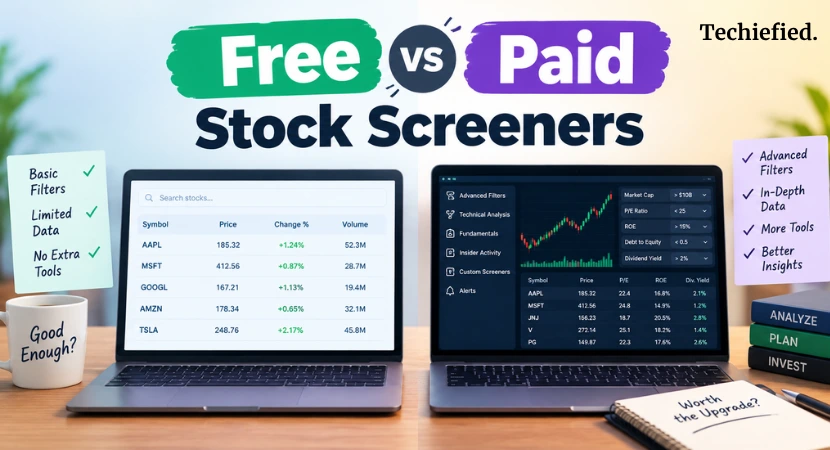
The top free stock screeners in 2026 are Finviz, TradingView, and Yahoo Finance. TradingView wins on charting and mobile depth, Finviz wins on raw filter count, and Yahoo Finance wins on ease of use for beginners.
You’re using a free stock screener right now, and it probably works fine. But at some point, free stock screener tools hit a wall. Data comes in 15 minutes late. You can’t save more than two screens. Your history only goes back two years. And that’s when the question of free vs paid stock screeners starts costing you actual opportunities.
A long-term investor checking stocks on a screener tool once a week doesn’t need the same thing as someone day trading on live price moves.
Here’s what each tier really gives you, and how to tell which one you’re actually in.
Free vs Paid Stock Screeners: What Free Stock Screeners Actually Include in 2026
Free stock screeners give you real filtering power, just with a 15-20 minute data delay.
TradingView
TradingView’s free plan screens stocks, ETFs, forex, crypto, and bonds across more than 150 exchanges.
It covers over 500 fundamental and technical fields. That’s not a stripped-down demo. It’s close to the full product.
Screening and execution are two different jobs though, and a lot of TradingView users end up running MetaTrader on the side once they’re ready to actually place trades.
For deeper technical setups, though, dedicated charting platforms still go further than any screener’s built-in charts.
Finviz
Finviz’s free tier works the same way. Full screener, heat map, dozens of technical and fundamental filters. You can scan for gap-ups, unusual volume, and specific chart patterns.
But you can’t save custom screens or set price alerts, and the site runs ads on every page.
Yahoo Finance
Yahoo Finance is built for beginners. Some sources cap free results around 20 stocks per screen, which is fine if you’re browsing ideas but limiting if you’re running a serious day trading process.
Koyfin
Koyfin’s free plan gives you two screens. Two years of financial history and one year of analyst estimates. Useful, but you’ll bump into the ceiling fast if you track more than a couple of stock trading strategies at once.
The One Limit That Actually Matters: Data Delay
Free screeners delay US stock quotes by 15 to 20 minutes on primary exchanges like NASDAQ and NYSE. This is a licensing rule, not a platform choice. Exchanges charge for real-time redistribution, so free tiers get the cheaper, delayed feed.
There’s one exception worth knowing. TradingView streams real-time quotes from CBOE BZX on every account, free or paid, and that feed covers most actively traded tickers including SPY and QQQ.
So, if you mostly watch large, liquid names, you may already have real-time data without paying for it. Check which exchange your data is coming from before assuming you need to upgrade.
If you hold trades for days, weeks, or months, a 15-minute delay changes nothing. If you’re trying to catch a chart move in the next 5-minutes, it changes everything.
Free vs Paid Stock Screeners: What You Actually Pay For When You Upgrade
You’re paying for four things:
- real-time data,
- unlimited saved screens,
- longer financial history, and
- data exports.
Everything else is a smaller add-on.
Real-time data is the big one, and it’s priced per exchange, not as one flat fee.
- TradingView charges roughly $2 to $10 a month per exchange subscription if you need direct NASDAQ or NYSE feeds instead of the free CBOE feed.
- Finviz Elite runs $39.50 a month (or about $25 a month billed annually) and unlocks real-time quotes, pre-market data, backtesting, and alerts in one package.
Saved screens are the second thing you’re buying. Koyfin’s free plan caps you at two. Paid Koyfin plan removes that cap and adds longer history and more asset types.
Financial history depth matters if you actually read the numbers behind a stock. Free plans often give you one to two years of financials and estimates.
If you’re comparing a company’s performance across a full economic cycle, two years won’t get you there.
Free vs Paid Stock Screeners: Real Pricing Right Now
| Platform | Free Tier | Paid Starting Price |
|---|---|---|
| TradingView | Full screener, 500+ fields, delayed primary exchange data | $14.95/mo (Ultimate up to $59.95/mo) |
| TradingView exchange data add-on | CBOE BZX real-time included free | $2 to $10/mo per exchange |
| Finviz | Full screener, 15-20 min delay, no saved screens or alerts | $39.50/mo (~$25/mo billed annually) |
| Zacks | ~50 criteria, Zacks Rank | $249/year (Premium) |
| Koyfin | 2 screens, 2 years of financials, 1 year of estimates | Unlimited screens, extended history |
One thing worth saying plainly: paying more doesn’t always mean better filtering.
TradingView’s free stock screener already has enough fields for most people. What you’re buying at the paid tier is usually speed and capacity, not smarter filters.
Signs You’ve Actually Outgrown Free Stock Screeners
You’ve outgrown free stock screeners when a specific limit costs you money or time on a regular basis.
Here are the real triggers:
- You’re trading intraday. A 15 to 20 minute delay on NASDAQ or NYSE quotes wrecks entry and exit timing for day trades. If you’re holding for minutes, not days, delayed data isn’t a minor inconvenience. It’s the wrong tool.
- You need more than a couple of saved screens. Koyfin’s free plan caps you at two. If you run separate screens for growth, value, and dividend strategies, you’ll hit that ceiling fast.
- You’re screening outside the US. Finviz and TIKR’s free tiers lean heavily on US equities. TIKR’s full global reach (100,000+ companies across 92 countries) sits behind a paid plan. The free version is a trial, not something built for daily use.
- You need more than a couple years of financial history. Free plans on Koyfin give you two years of financials and one year of analyst estimates. Paid tiers on TIKR and Koyfin stretch that to 10 years or more. If you’re comparing a company across a full business cycle, two years won’t show you much.
- You need filter depth beyond the basics. Finviz free covers around 70 filter criteria. Koyfin’s paid tier offers over 5,900. If your strategy depends on narrow, specific combinations like segment revenue growth or analyst revision momentum, free tools won’t get you there.
What Are the Signs That Show I Don’t Need to Upgrade to Paid Stock Screeners
Just as important, here’s when to stay free:
- You check stocks weekly or monthly, not during the trading day
- You’re still learning which metrics actually matter to your strategy
- Your research stays within US large caps, where free coverage is strongest
- You haven’t hit a real limit yet, just a theoretical one
Save your money. Free stock screeners cover more ground than most people realize.
Free vs Paid Stock Screeners by Investor Type
The right stock screener tool depends on what you actually do rather than which platform has the most features.
- Beginner stock traders: Yahoo Finance or Finviz’s free tier is enough. You’re learning what filters mean before you need advanced ones.
- Long-term value investors: Start with Koyfin or TIKR’s free tier. Upgrade only once you need more than two saved screens or more than a couple years of financial history. Koyfin’s paid plan, with 5,900+ filter criteria and 10-year data, is built for this exact use case.
- Active and day stock traders: Free tools generally don’t work here. A 15-minute delay on live trades is a real cost, not a small trade-off. Finviz Elite ($39.50/month) or a dedicated real-time scanner is worth the price once you’re trading during market hours.
- Investors researching international stocks: Free tools skew US-heavy. If you need Euronext, Xetra, or London Stock Exchange coverage, TIKR or Koyfin’s paid plans are built for that. The free tier won’t cover it well. At that point, some investors skip screeners entirely and look at terminal-style research tools instead.
- Dividend investors: Check payout history depth before assuming free covers it. Some free tools have thin dividend data. Koyfin and Stock Rover go deeper here, but usually at the paid tier.
The pattern across all of these: free vs paid stock screeners is a decision made separately for each part of your process, based on where the free version actually runs out.
Last Word on Paid Vs Free Stock Screeners
Free vs paid stock screeners comes down to one question: has a specific limit actually cost you something?
If you’re trading intraday, running out of saved screens, or researching stocks outside the US, a paid plan solves a real problem. If you’re checking stocks weekly and staying within US large caps, free tools already cover you.
Don’t upgrade because a pricing page makes paid sound better. Upgrade when your current tool stops doing what you need.
FAQs on Paid vs Free Stock Screeners
Q#1. Is a free stock screener good enough for beginners?
Yes. Free stock screeners like Yahoo Finance and Finviz cover everything most beginners need to start filtering stocks.
Q#2. What’s the main difference between free vs paid stock screeners?
Data speed. Free screeners delay quotes by 15 to 20 minutes. Paid screeners remove that delay and add more saved screens, deeper history, and global coverage.
Q#3. Do paid stock screeners give real-time data?
Yes, most do. Free tiers almost always delay data. Paid tiers like Finviz Elite and TradingView’s exchange add-ons unlock real-time quotes.
Q#4. What’s the cheapest paid stock screener?
TradingView’s paid tier starts at $14.95/month. Its real-time exchange add-ons run $2 to $10/month per exchange.
Q#5. When should you upgrade from a free stock screener?
Upgrade when a specific limit costs you money, like trading intraday on delayed data or needing more saved screens than your free plan allows.
Q#6. Can free stock screeners cover international stocks?
Not well. Most free tiers, including Finviz and TIKR, are US-heavy. Global coverage usually needs a paid plan.
