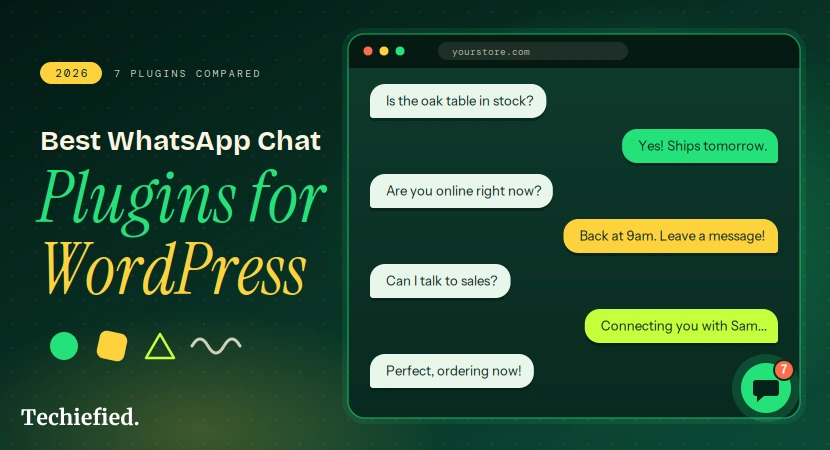
Most website visitors leave without asking anything. They had a question about shipping or sizing. But a contact form feels like work, and email feels slow. A WhatsApp message takes ten seconds, and people already open the app dozens of times a day. That’s why site owners hunt for the best WhatsApp chat plugins for WordPress.
A good plugin adds a button or a small chat window. It opens WhatsApp with your number and a ready-made message. Some also send visitors to the right team member. Some add buttons to WooCommerce product pages.
We compared seven that are actively maintained. Below you’ll see what’s free, what costs money, and how to set one up.
Quick Answer
WhatsApp Chat Help is the best WhatsApp chat plugin for WordPress in 2027. The free version covers WooCommerce buttons from the shop page to the thank-you page. It also includes availability hours, GDPR consent, and an analytics dashboard. Joinchat is the most widely used alternative. Click to Chat has the cheapest Pro plan if you need multiple agents.
Best WhatsApp Chat Plugins Comparison Table
Here are the best WhatsApp chat plugins for WordPress side by side.
| Plugin | Best For | Free Version | Starting Price (Pro) | Standout Feature | WordPress.org Rating |
|---|---|---|---|---|---|
| WhatsApp Chat Help | Best overall, WooCommerce stores | Yes | $39/year, 1 site (USD); lifetime from $119 | Free buttons on shop, product, cart, checkout, and thank-you pages | 4.4/5 (9 reviews) |
| Joinchat | Popular, lightweight button | Yes | €96/year, 1 site (EUR) | Rich CTAs and a dashboard click counter | 4.7/5 (189 reviews) |
| Click to Chat | Budget multi-agent setups | Yes | $18/year, Single plan (USD) | Turns any element into a WhatsApp link | 4.8/5 (131 reviews) |
| Social Chat | Simple button plus contact box | Yes | $49/year, 1 site (USD) | WooCommerce product variables in messages | 4.9/5 (696 reviews) |
| Chaty | Multiple messaging channels | Yes | $59/year, 1 site (USD) | 20+ chat channels in one widget | 5.0/5 (1,245 reviews) |
| WP Chat App | Free multi-agent widget | Yes | $39/year, 1 site (USD, regular price) | Multiple agent accounts in the free version | 4.9/5 (222 reviews) |
| OneClick Chat to Order | WhatsApp ordering for WooCommerce | Yes | Free; paid add-ons sold separately | Sends cart and order details to WhatsApp | 4.8/5 (84 reviews) |
We checked ratings and prices in November 2026. Confirm the current numbers before you buy.
What to Look For in a WhatsApp Chat Plugin for WordPress
No WordPress WhatsApp plugin fits every site. Compare these features before you pick one:
- Multiple agents. Can visitors choose sales, support, or a specific person? Many plugins charge extra for this.
- Scheduling. A button that says “online” at 2 a.m. sets the wrong expectation. Look for working hours and a time zone setting.
- WooCommerce integration. A button near “Add to cart” is the minimum. Better plugins pass the product name and price into the message.
- Customization. Colors, icons, text, and position should match your design.
- Display rules. You may want the button on mobile only, or a different chat on different pages.
- Performance. A chat button should not load heavy scripts on every page.
- Analytics. Click tracking shows whether the button works.
- Privacy. A consent checkbox helps if you have visitors in the EU.
- Maintenance. Check the “last updated” date. Every plugin here got an update in the last three months.
None of these plugins use the paid WhatsApp Business Platform, also called the WhatsApp Business API. They use WhatsApp’s free click to chat links. The visitor writes first. You reply from your normal WhatsApp or WhatsApp Business app.
There are no per-message fees.
7 Useful WhatsApp Chat Plugins for WordPress in 2027
We picked these seven based on features, update frequency, and ratings. Our top pick comes first.
1. WhatsApp Chat Help: Best Overall
Overview
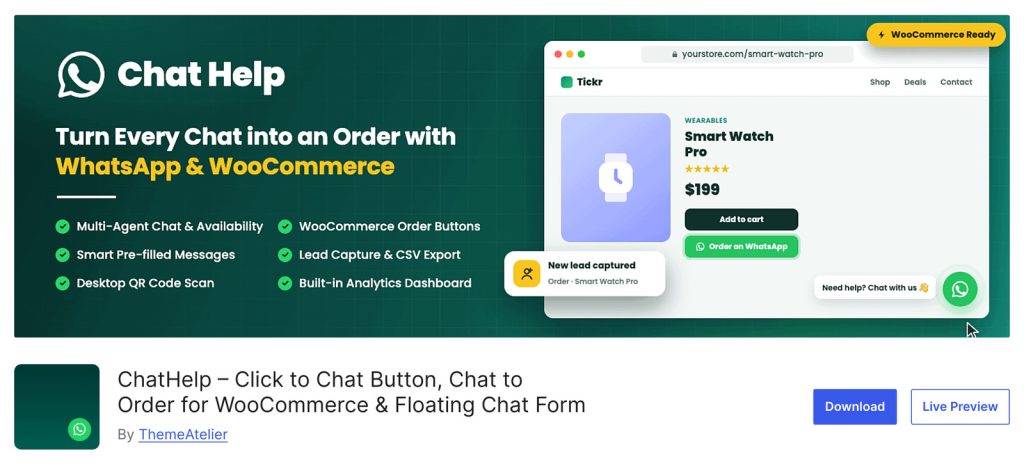
WhatsApp Chat Help by ThemeAtelier adds a floating chat window, inline buttons, and WooCommerce buttons to your site. WordPress.org lists it as “ChatHelp.” It’s newer than most plugins here. It has 2,000+ active installations and a 4.4-star rating from nine reviews. Development is active, with four releases between mid-October and early November 2026.
The free version does a lot. You get a chat widget, store integration, and reporting before you pay anything.
Key features
- Four free chat layouts. Form Chat, Single Agent, Pre-Chat Message, and Chat Button. The form layout can collect a name or question first and save it as a lead in your dashboard.
- Pre-filled messages with variables. Tags like {currentURL}, {productName}, and {productPrice} tell you which page or product the visitor was viewing.
- WooCommerce buttons. Place them on the shop page, product pages, cart, checkout, and order thank-you page.
- Availability hours. Set a time zone and a weekly schedule. The widget switches between online and offline on its own.
- Display controls. Show the chat everywhere, or only on desktop, tablet, or mobile. Target specific theme pages and posts.
- Analytics. A built-in dashboard tracks views, conversions, and leads by device. Google Analytics events are included.
- Privacy. Add a GDPR consent checkbox. The plugin’s FAQ says it uses no cookies and stores no data by default.
- Builder support. Use a shortcode, a Gutenberg block, or an Elementor widget.
Free vs Pro
The free version is enough for most solo businesses and small stores. You get one global chat, full WooCommerce placement, scheduling, consent, device targeting, and analytics.
Pro is for teams and busier sites. Multi-Agent layouts let visitors pick who to message, and each agent has their own hours. You can also assign different chats to specific pages, products, or categories. Webhooks, dark mode, extra icons, and country and browser analytics come with it.
Pricing
Pro is priced in USD, and VAT is added at checkout. Annual plans list at $39 for one site, $79 for five sites, and $139 for unlimited sites. Lifetime licenses list at $119, $199, and $399 for the same limits. The pricing page often shows discounts. There’s a 14-day money-back guarantee.
Pros
- The most complete free WooCommerce coverage in this comparison, with five button locations.
- Free scheduling, consent, lead capture, and analytics.
- Lifetime licenses for agencies that don’t want yearly renewals.
Cons
- Multiple agents and page-specific chats need Pro.
- Fewer users and reviews than Joinchat or Click to Chat.
Real-world use case
Say you run a small furniture store on WooCommerce. A shopper likes an oak table but worries it won’t fit through a narrow doorway. She taps the WhatsApp button under “Add to cart.”
A message opens with the table’s name, price, and link, so you know exactly what she’s asking. After hours, the widget shows as offline. She knows not to expect an instant reply.
Why it ranks #1
It gives you the most for the money. The free version matches or beats the paid tiers of several competitors on WooCommerce and analytics. Pro adds multi-agent routing at a normal market price. If you care more about a long track record, pick Joinchat or Click to Chat.
2. Joinchat
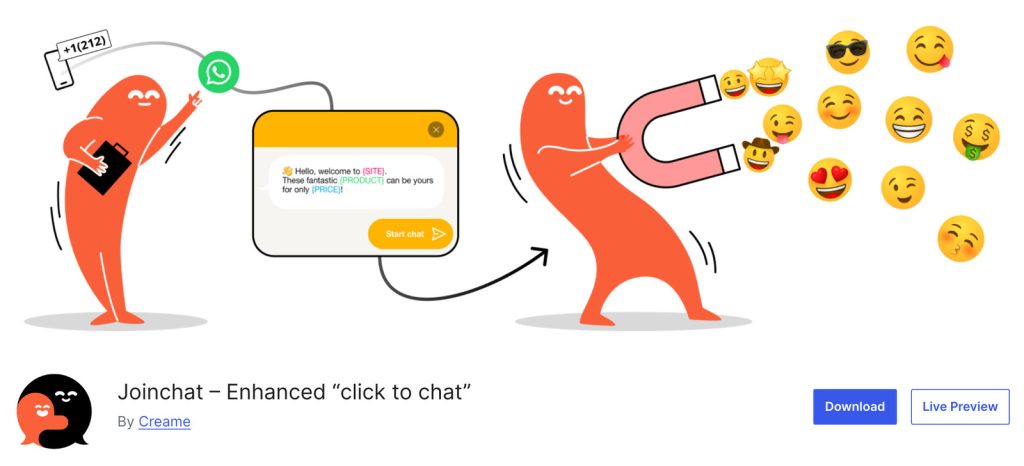
Joinchat is the most installed WhatsApp plugin on WordPress.org, with 700,000+ active installations. It focuses on a fast, light button with call-to-action messages that catch the eye.
The free version includes dynamic start messages, a WooCommerce button near “Add to cart,” page-level settings, and a dashboard click counter. It also sends events to GA4, Tag Manager, and Facebook Pixel. Premium adds agents with their own schedules, more channels, and country targeting.
Price: Free. Premium is €96/year for one site.
Pros: Huge user base, light scripts, strong free analytics events.
Cons: Multiple agents need Premium. It costs more than most.
Best for: Sites that want one polished button.
3. Click to Chat
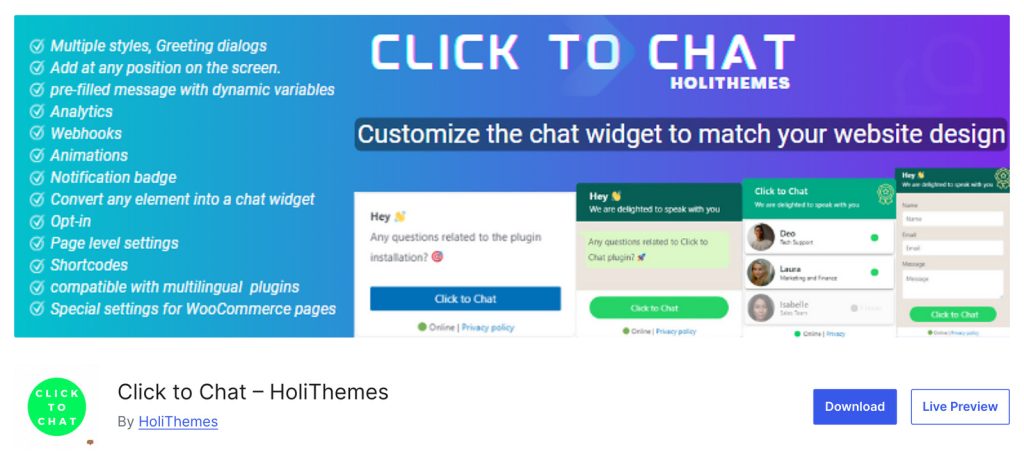
Click to Chat by HoliThemes has 600,000+ active installations. It offers eight button styles and custom images. It also has a handy trick. Add the ctc_chat class to any menu item and it becomes a WhatsApp link.
The free version includes greeting dialogs, notification badges, and separate mobile and desktop positions. Pro adds multiple agents with individual time ranges, business hours, a pre-chat form, and display rules by country or login status.
Price: Free. Pro starts at $18/year.
Pros: Flexible free version, low Pro price, no auto-renewal.
Cons: Many settings. Beginners may find it busy.
Best for: Budget-minded sites that need multiple agents.
4. Social Chat
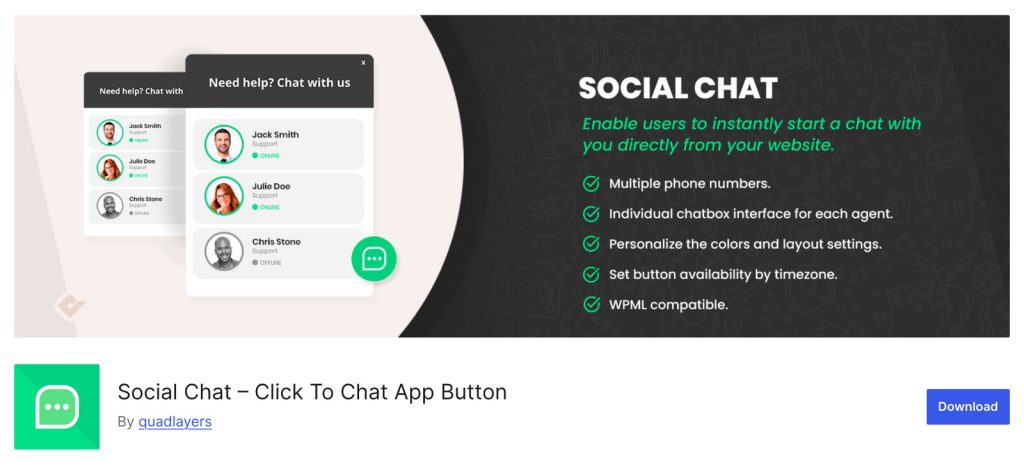
Social Chat by QuadLayers has 200,000+ active installations. It adds a WhatsApp button and an optional contact box with a name, avatar, and greeting.
Free users get WooCommerce buttons on product and archive pages. They also get product variables like {PRODUCT_PRICE} and the option to hide the chat by post type.
PRO adds multiple agents, custom colors and icons, and a chatbox interface.
Price: Free. PRO is $49/year for one site, or $99 lifetime.
Pros: Clean design, high rating, useful product variables.
Cons: Multiple agents and color changes need PRO.
Best for: Small stores that want a tidy button.
5. Chaty
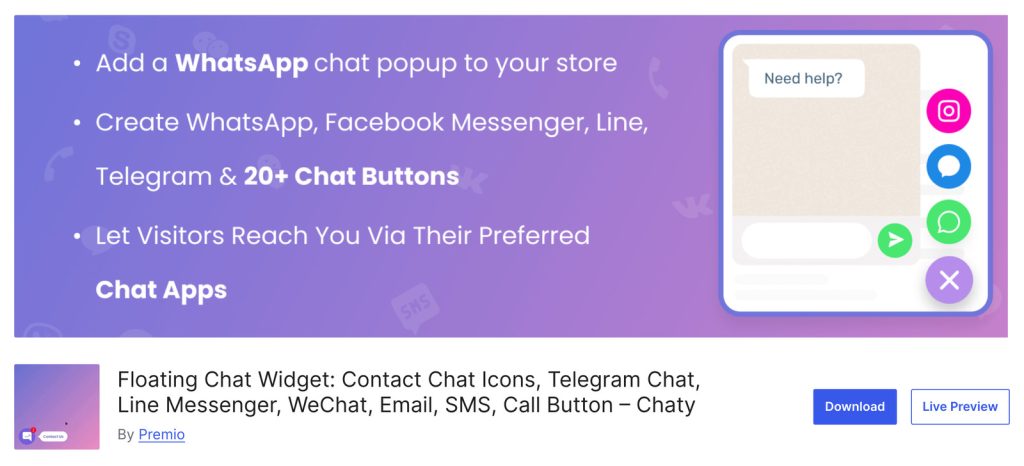
Chaty by Premio shows WhatsApp next to Messenger, Telegram, phone, SMS, and other channels. It has 300,000+ installations and a 5.0 rating from over 1,200 reviews.
The free version gives you the multi-channel widget, with WhatsApp and click-to-call buttons. Pro adds page targeting, date and time scheduling, analytics, contact form leads, and more channels. If you also want share buttons and feeds, pair it with WordPress social plugins.
Price: Free. Pro is $59/year for one site, or $169 lifetime.
Pros: The best pick if your customers use several messaging apps.
Cons: Scheduling and page targeting are paid. It’s more than you need if you only use WhatsApp.
Best for: Multi-channel customer support.
6. WP Chat App
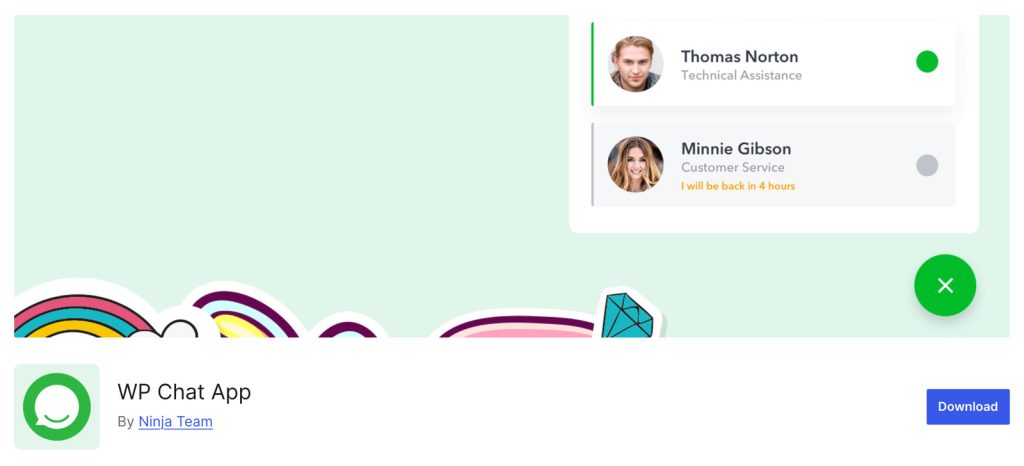
WP Chat App by NinjaTeam has 100,000+ installations. Its main draw is multiple agent accounts in the free version. Each agent gets a name, title, and greeting.
Free users also get an “Order on WhatsApp” button after “Add to cart” and shortcodes for in-page buttons. Pro adds working hours, avatars, more button positions, and analytics tracking.
Price: Free. Pro lists at $39/year for one site.
Pros: Free multi-agent support. Works with major caching plugins.
Cons: Working hours and tracking need Pro. Last updated in August 2026.
Best for: Small teams that need several agents for free.
7. OneClick Chat to Order
OneClick Chat to Order does one job. It takes WooCommerce orders through WhatsApp. It has 30,000+ installations.
It adds buttons to product, shop, and cart pages. A thank-you page button sends the full order details. You can assign different WhatsApp numbers to products or departments. Paid add-ons connect it to multivendor plugins like Dokan.
Price: Free. Premium add-ons are sold separately.
Pros: Strong free ordering features.
Cons: It’s not built as a general support widget.
Best for: Stores that take orders over WhatsApp.
How to Add WhatsApp Chat Plugin to WordPress
Setting up WhatsApp Chat Help with the free version takes about ten minutes.
Step 1: Install the plugin. Go to Plugins > Add New, search for “ChatHelp,” and click Install Now. You can also download the free WhatsApp chat plugin from WordPress.org and upload it.
Step 2: Activate it. Click Activate. A WhatsApp Chat menu shows up in your sidebar.
Step 3: Add your number. Open the chat settings and pick a layout, such as Single Agent. Enter your number with the country code. Add a name and title if the layout shows them. Pro users can add several agents here.
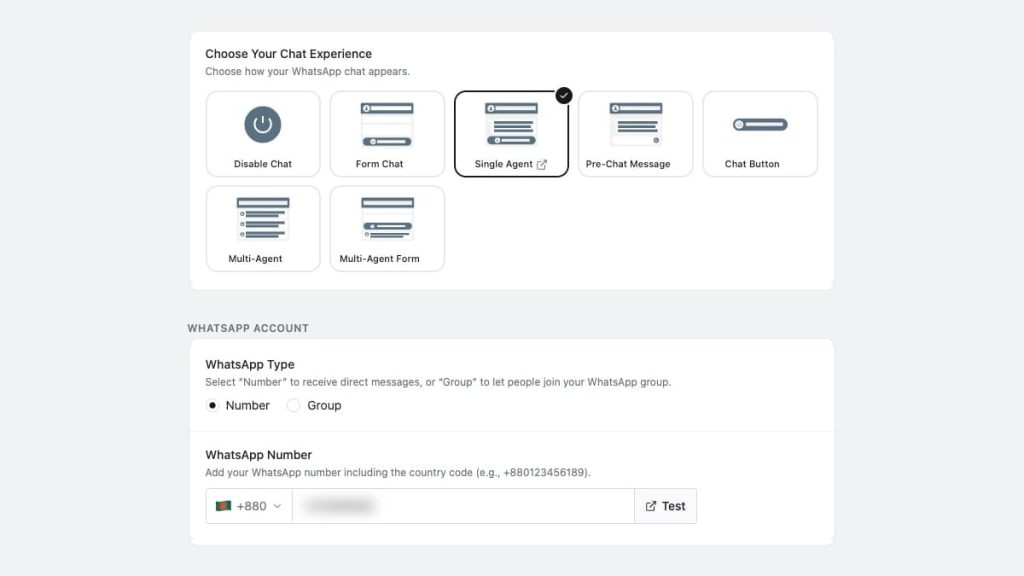
Step 4: Write a pre-filled message. Try “Hi, I have a question about {currentURL}.” For WooCommerce buttons, use {productName} and {productPrice}.
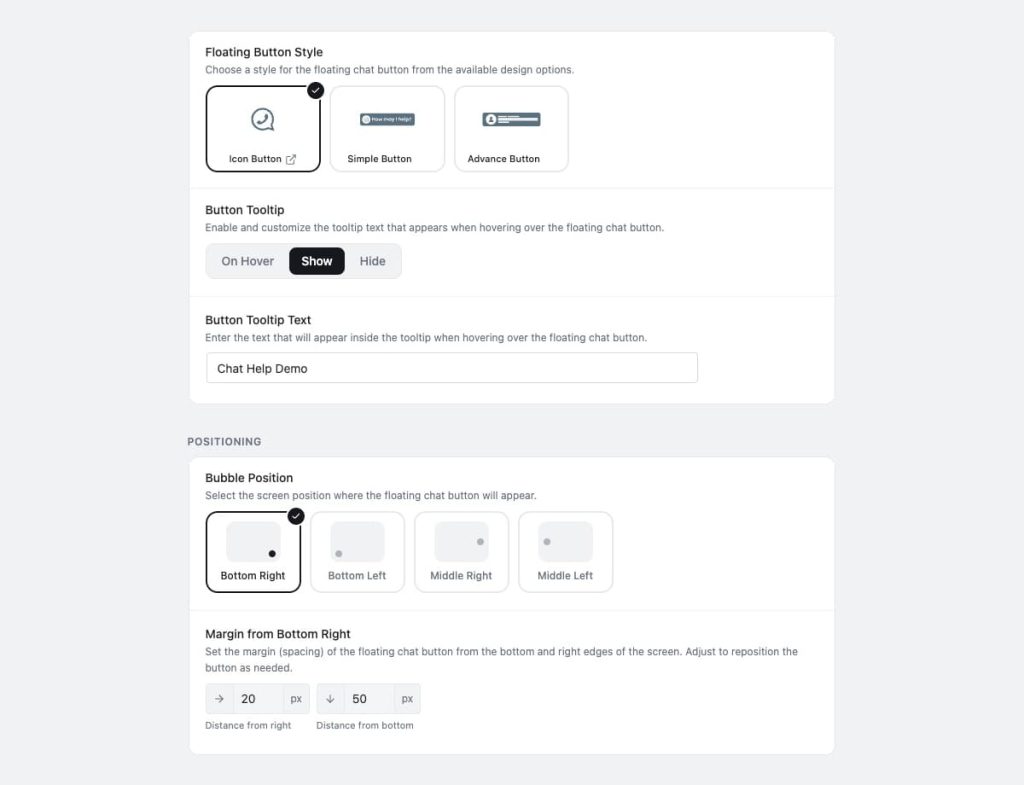
Step 5: Customize the button. Choose a style, icon, colors, and position. Set your time zone and weekly hours.
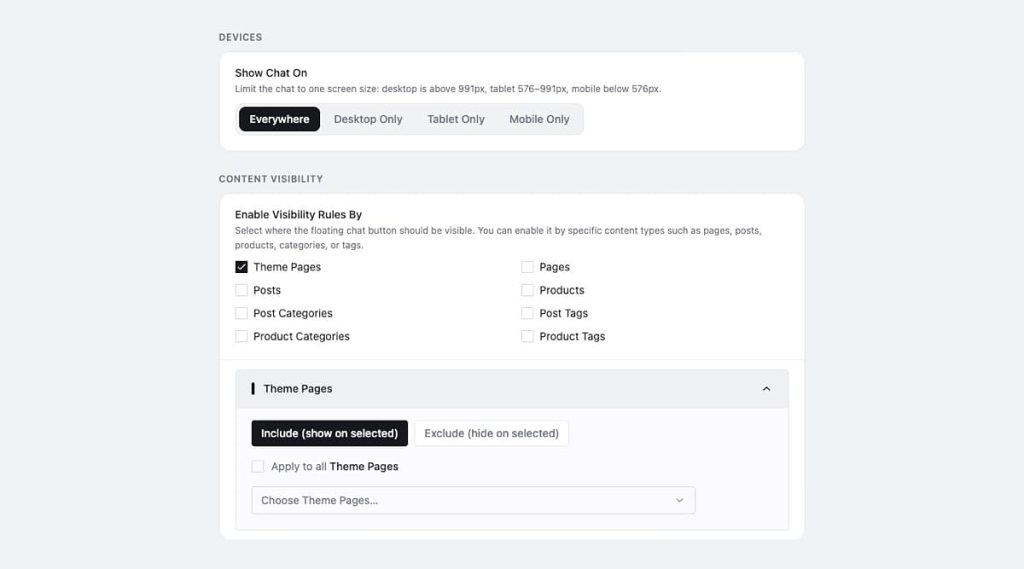
Step 6: Set display conditions. Choose all devices, or only desktop, tablet, or mobile. Pick which theme pages or posts show the chat. Turn on GDPR consent if you need it.
Step 7: Test it. Click the button in a private window. On mobile it should open the WhatsApp app. On a computer it should open WhatsApp Web or the desktop app.
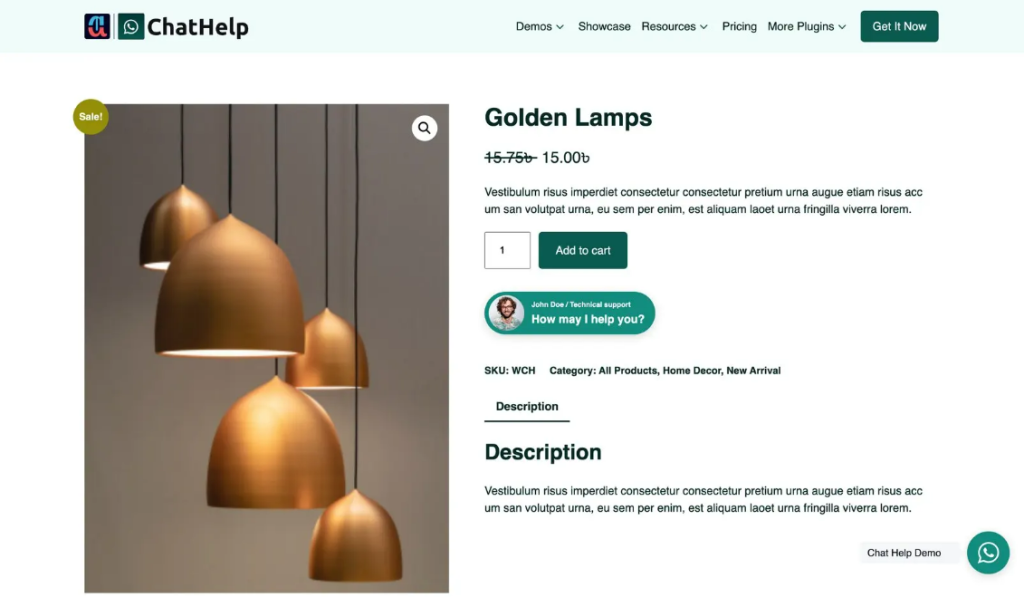
Running a store? See how to add a WhatsApp order button to WooCommerce.
Which WhatsApp Chat Plugin Should You Choose?
Each of the best WhatsApp chat plugins for WordPress suits a different kind of business. Use this table to decide.
| Your situation | Pick | Why |
|---|---|---|
| WooCommerce store | WhatsApp Chat Help | Best free option, with buttons from shop page to thank-you page |
| Store that mainly takes orders on WhatsApp | OneClick Chat to Order | Built for that one job |
| Small local business (plumber, salon) | WhatsApp Chat Help | The free Single Agent layout handles one number and clear hours |
| WordPress agency | WhatsApp Chat Help | Unlimited-site lifetime license, plus settings import and export for client rollouts |
| Multiple agents with individual schedules | WhatsApp Chat Help Pro or Click to Chat Pro | Both support per-agent hours |
| Multiple agents for free | WP Chat App | No working hours without Pro |
| Most complete free plugin | WhatsApp Chat Help | Joinchat is the most widely used |
| Simple floating button | Joinchat or Social Chat | Both do the job without extra settings |
Weighing other support options? Compare WhatsApp chat vs live chat.
Final Thoughts
Your choice depends on what you need now and how fast you expect to grow.
- WhatsApp Chat Help is the best overall pick. It has the most complete free version for WooCommerce, scheduling, and analytics.
- Joinchat is the most popular and the lightest single-button option.
- Click to Chat is the cheapest route to multiple agents.
- WP Chat App gives you multiple agents for free.
- OneClick Chat to Order suits stores that sell through WhatsApp.
Not sure where to start? Install WhatsApp Chat Help, a free WhatsApp chat plugin for WordPress. Add one number. Check the analytics after a few weeks. Upgrade once you see how visitors use it.
For ideas on turning chats into sales, read our WhatsApp chat button best practices.
