If you trade forex or CFDs, you’ve probably typed MetaTrader 4 vs MetaTrader 5 into Google at some point. Here’s the real answer.
MT4 and MT5 are two different pieces of forex trading software built 5 years apart, for different jobs. One isn’t an upgrade of the other. MT5 was built from scratch.
Below is every difference that actually changes how you trade, backed by current data.
Quick answer on MetaTrader 4 vs MetaTrader 5
| If you… | Use this |
|---|---|
| Only trade forex and CFDs, and have EAs or indicators built in MQL4 | MetaTrader 4 |
| Want to trade stocks, futures, or crypto alongside forex | MetaTrader 5 |
| Are opening your first trading account | MetaTrader 5 |
| Need to hold a buy and sell on the same pair at once | Check your broker. MT4 always allows it. MT5 depends on your account setup |
| Run algorithmic strategies and care about backtest speed | MetaTrader 5 |
If you want the reasoning, keep reading. If you just needed the table, you have your answer.
MetaTrader 4 vs MetaTrader 5: The core difference in one sentence
MT4 was built in 2005 for forex. MT5 was built in 2010 to handle stocks, futures, and options too, forex included.
That one decision explains almost everything else on this page.
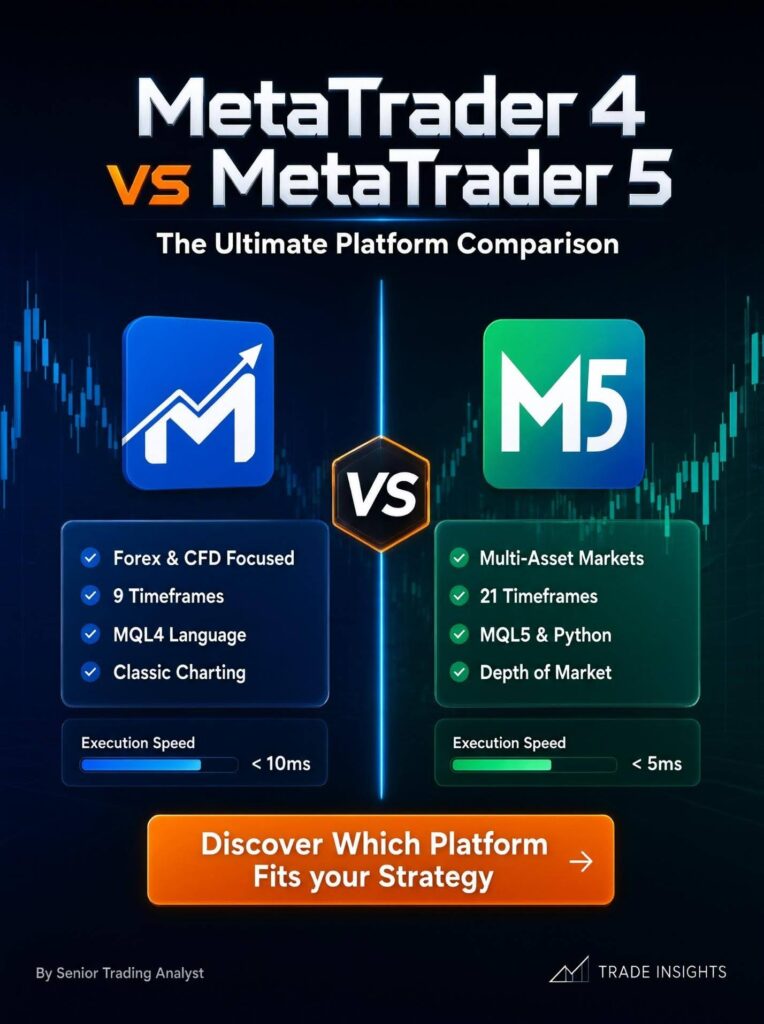
MetaTrader 4 vs MetaTrader 5: When were MT4 and MT5 released, and why does the gap matter?
MT4 launched in 2005. MT5 launched in 2010.
MetaQuotes, the company behind both, didn’t build MT5 as “MT4 version 2.” It built a new system aimed at exchanges, not just forex brokers.
That’s why MT5 handles stocks, futures, and options natively. And it’s why your MT4 tools won’t just work on MT5. They run on different code entirely.
Is MetaTrader 4 being shut down?
No. But it’s frozen.
In January 2018, MetaQuotes stopped issuing new MT4 broker licenses. Existing brokers can still run it, get support, get bug fixes. But no new broker can license it. Development stopped even earlier, around 2015.
Some blogs say this happened in 2022. It didn’t. That’s a mix-up with a separate 2022 policy change on White Label licensing.
The license freeze is from January 2018, confirmed at the time by Finance Magnates and LeapRate.
What this means for you?
MetaTrader 4 isn’t going anywhere tomorrow. Millions of people still use it. But there are no new features coming, and fewer brokers offer it every year.
MetaTrader 4 vs MetaTrader 5: Which platform do more traders use in 2026?
MT5 leads now. Finance Magnates Intelligence found MT5 overtook MT4 in trading volume for the first time in Q1 2025, 54.2% versus 45.8%. By early 2026, that gap grew to roughly 62% MT5.
A separate Brokeree survey of over 900 brokers found 68% now offer MT5, against 40% still offering MT4. Some offer both.
| Metric | MT4 | MT5 |
|---|---|---|
| Trading volume, Q1 2025 | 45.8% | 54.2% |
| Trading volume, early 2026 | ~38% | ~62% |
| Brokers offering the platform | ~40% | ~68% |
| New broker licenses available | No, since Jan 2018 | Yes |
The trend runs one way. MetaTrader 5 isn’t catching up. It’s pulling ahead.
MetaTrader 4 vs MetaTrader 5: What markets can I trade on each platform?
This is the difference that matters most if you’re picking a trading platform for the first time.
| Market | MT4 | MT5 |
|---|---|---|
| Forex | Yes | Yes |
| CFDs | Yes | Yes |
| Real stocks | No | Yes, if your broker offers it |
| Futures | No | Yes, if your broker offers it |
| Options | No | Yes, if your broker offers it |
| Exchange-traded bonds | No | Yes, if your broker offers it |
| Crypto CFDs | Rare | Common |
One catch! MT5’s multi-asset access depends on your broker. A lot of MT5 brokers only list forex and CFDs and never turn on the stock or futures side.
If options specifically are the goal, it’s often simpler to just compare platforms built around options trading directly rather than hoping your MT5 broker flips that switch on.
Don’t assume you’ll get access to Tesla shares just because you’re on MetaTrader 5. Check your broker’s instrument list first.
MT 4 vs MT 5: What’s the difference in order types?
MetaTrader 4 has 4 pending order types:
- Buy Limit,
- Sell Limit,
- Buy Stop,
- Sell Stop.
MT5 has 6. It adds Buy Stop Limit and Sell Stop Limit.
These combine a stop trigger with a limit entry. Say you want to enter a breakout, but only if price pulls back a bit first. A stop limit order does that in one step. On MT4, you’d need to do it manually or script it.
MetaTrader 5 also adds two execution policies MT4 doesn’t have.
Fill or Kill: the whole order fills at your price or it’s cancelled. Immediate or Cancel: it fills what it can right away and cancels the rest. These matter more if you trade large size.
If you place small retail orders, you probably won’t notice.
MetaTrader 4 vs MetaTrader 5: Can I hold a buy and a sell on the same pair at once?
This is the most misunderstood difference between MetaTrader 4 vs MetaTrader 5. Here’s the accurate version.
MT4 is hedging-only.
There’s no netting mode. Every order is its own position, always. Want a long and a short on EUR/USD at the same time? MT4 lets you, no exceptions.
MT5 supports both hedging and netting, but not both on the same account. Your broker sets this before you log in.
- Netting account: Trades on the same symbol collapse into one position. Buy 1 lot, then sell 0.4 lots, you’re left with 0.6 lots long. No two opposing tickets sitting side by side.
- Hedging account: Works like MT4. Every trade is its own position with its own ticket.
If hedging matters to your strategy, ask your broker directly. Don’t assume your MetaTrader 5 account supports it.
MT 4 vs MT 5: How many time frames and indicators does each platform have?
| Feature | MT4 | MT5 |
|---|---|---|
| Timeframes | 9 | 21 |
| Built-in indicators | 30 | 38 |
| Drawing objects | 31 | 44 |
| Chart limit | 100 | Unlimited |
MT5’s extra time frames include useful in-between options like M2, M10, H2, and H8.
If you do multi-timeframe analysis, this helps. If you only look at H1, H4, and D1, you’ll never touch them, and this difference won’t matter to you.
Serious multi-timeframe traders often end up pairing either platform with dedicated charting software anyway, for the deeper technical analysis tools neither MT4 nor MT5 ships with.
MetaTrader 4 vs MetaTrader 5: What is Depth of Market, and which platform has it?
MetaTrader 5 only. MetaTrader 4 has no Depth of Market feature.
DOM shows the buy and sell volume sitting at different price levels, a live order book. In forex, this comes with a limit. The market is decentralized, so what you see is your broker’s own liquidity, not the whole market.
It works better for exchange-traded instruments like stocks and futures, where the order book is centralized.
- If you only trade forex, DOM is nice to have, not a dealbreaker.
- If you trade futures or stocks through MT5, it’s genuinely useful.
For picking which stocks to watch in the first place, most traders still lean on separate stock screening tools rather than DOM alone.
MetaTrader 4 vs MetaTrader 5: Does MT5 have a built-in economic calendar?
Yes. MT4 doesn’t.
MT4 traders rely on outside sites like Forex Factory. MT5’s calendar sits inside the platform, tags releases by impact, and can mark events directly on your charts.
MetaTrader 4 vs MetaTrader 5: Do MT4 indicators and EAs work on MT5?
No. MT4 runs on MQL4. MT5 runs on MQL5, an object-oriented language closer to C++.
They don’t talk to each other. Any indicator, script, or Expert Advisor built for MT4 has to be rewritten to run on MT5. Not recompiled. Rewritten.
This is the biggest reason traders stay on MT4 years after MT5 launched.
If you or your broker’s community built up years of MQL4 tools, switching means real development work.
| Factor | MT4 (MQL4) | MT5 (MQL5) |
|---|---|---|
| Programming style | Procedural | Object-oriented |
| Multi-currency EA support | Limited | Native |
| Debugging tools | Basic | Built-in debugger |
| Backtesting | Single-threaded | Multi-threaded |
| Marketplace size | Larger, older | Smaller, higher average quality |
MetaTrader 4 vs MetaTrader 5: Is MT5’s backtesting actually faster, or is that just marketing?
It’s real. MT4’s Strategy Tester runs on one thread.
MetaTrader 5 runs on multiple threads, using every core on your machine, sometimes spread across multiple machines on a network.
A test that takes 30 minutes on MetaTrader 4 can finish in 3 to 4 minutes on MT5, depending on your hardware.
If you run algo strategies and backtest often, this alone might be worth the switch.
MT4 vs MT5: What are the system requirements?
Both are light by today’s standards. MetaTrader 5 asks for a bit more.
| Requirement | MT4 | MT5 |
|---|---|---|
| Processor | 1.5 GHz | 2 GHz |
| RAM | 512 MB | 1 GB |
| Disk space | 50 MB | 100 MB |
| OS | Windows native, Mac/Linux via wrapper | Windows native, Mac/Linux via wrapper |
MT4 vs MT5: Is one platform safer than the other?
No. Your safety comes from your broker’s regulation, not from the platform. A regulated broker on MT4 is safer than an unregulated one on MT5.
One thing worth knowing!
Since mid-2025, some older MT4 and MT5 desktop builds stopped connecting to broker servers. Keep your platform updated. That’s not optional.
Should a complete beginner start on MT4 or MT5?
Start on MT5. Here’s why, not just “because it’s newer.”
You have no MQL4 library, so the compatibility argument for MT4 doesn’t apply to you.
New brokers default to MT5, or offer it only. And MT5 gives you more room to grow into. More time frames, more order types, access to other markets if you ever want them, without learning a second platform later. Though if neither platform ends up feeling right, it’s worth glancing at a few non-MetaQuotes trading platforms before committing long-term.”
One exception…!
If a broker you’ve already picked for good reasons, regulation, spreads, funding, only runs MT4, that’s a fair reason to use MT4. Don’t switch brokers just to chase a platform.
I already trade on MT4. Is switching to MT5 worth it?
Depends on one question: do you rely on custom MQL4 tools?
Switch if:
- You want stocks, futures, or crypto CFDs your broker only offers on MT5
- You run algo strategies and backtest speed matters to you
- Your broker is moving away from MT4
- You don’t have a meaningful library of custom MT4 tools
Stay on MT4 if:
- You depend on MQL4 indicators, EAs, or signal services with no MT5 version
- Your strategy works and you have no reason to change
- Rewriting your tools in MQL5 costs more than the switch is worth right now
MetaTrader 4 vs MetaTrader 5: The bottom line
MT4 and MT5 aren’t old version and new version. They’re built for different scopes, forex-only versus multi-asset. MT5 has the momentum. Most of the volume, most of the broker support, and the only development roadmap MetaQuotes is actually funding. MT4 isn’t broken and isn’t disappearing overnight, but it’s been running without new licenses since 2018.
If you’re starting fresh, pick MT5. If you’re already deep into MT4 with tools and workflows built around it, don’t switch because a blog told you to. Switch when the multi-asset access or the back testing speed solves a real problem you have.
