WooCommerce BNPL plugins exist because a cart abandons the moment the price feels too big for one payment. They fix that by splitting the charge into smaller pieces, but the plugin you pick decides who carries the risk when a payment fails.
Some route customers to Affirm, Klarna, or Afterpay, and the provider runs the credit check and eats the default risk. Others keep everything on your own site.
This list covers 9 real WooCommerce BNPL plugins, what each one actually costs, and which type of store each one fits. If you’re also evaluating your wider WooCommerce setup, you can explore other WooCommerce plugins worth considering for your store.
WooCommerce BNPL plugins at a glance
| Plugin | Model | Best for |
|---|---|---|
| Splitit | Existing credit card, installment hold | Premium goods, no new loan or lender redirect |
| WooPayments BNPL | Affirm, Afterpay, Klarna in one toggle | Stores already on WooPayments |
| WooCommerce PostPaid | Self-hosted credit limit | In-house postpaid balance, optional interest |
| Affirm Payments | Provider-run installments (up to 36 months) | Higher-ticket stores wanting Affirm specifically |
| Klarna for WooCommerce | Provider-run pay-later & installments | Stores adding Klarna without rebuilding checkout |
| Kustom Checkout | Embedded full checkout (Klarna infra) | Stores wanting single-page checkout built around Klarna |
| Zip North America Gateway | 4-installment split, provider-run | US/Canada stores wanting simple 4-payment split |
| B2B Payments | Self-hosted, role/plan-based installments | Wholesale/B2B stores, not consumer checkout |
| WooCommerce PayPal Payments (Pay Later) | Provider-run (Pay in 4 / Pay Monthly) | Stores already on PayPal wanting Pay Later messaging |
1. Splitit
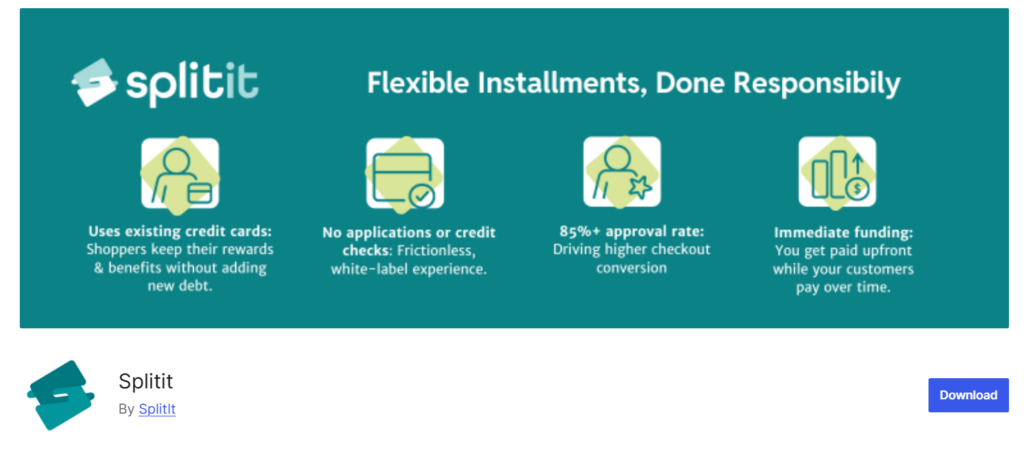
Splitit lets customers pay in installments using a credit card they already have, rather than applying for new credit or a BNPL loan.
Best for: stores selling premium goods (jewelry, furniture, high-ticket electronics) whose customers have available credit and want to avoid a new loan or a lender redirect.
Features:
- Customer enters their existing Visa or Mastercard at checkout and selects an installment plan, no separate application
- Splitit places an authorization hold on the card for the purchase amount, then charges each installment automatically on schedule
- No credit check and no new credit account; approval depends entirely on available credit on the card already in the customer’s wallet
- Interest-free for the shopper, installments appear on their regular card statement under the store’s name
- White-label checkout stays inside the WooCommerce store, no redirect to a third-party lender page
- Supports purchases up to $20,000, and operates across 36 countries
- Merchant receives full payment upfront; Splitit handles installment collection from the customer’s card
Pricing: the plugin is free on WordPress.org. Splitit charges merchants a transaction fee as part of the account setup; the exact rate isn’t published as a flat public number and depends on the merchant agreement, similar to Affirm and Klarna.
Drawback: approval is capped by the customer’s existing available credit, not a separate financing decision, so a shopper without enough headroom on their card can’t complete the plan even if a traditional BNPL lender might have approved them.
2. WooPayments BNPL (Affirm, Afterpay, Klarna)
WooPayments bundles Affirm, Afterpay, and Klarna behind a single toggle inside Payments > Settings. No separate plugin per provider.
Best for: stores already processing through WooPayments that want the fastest BNPL launch.
Features:
- Enable Affirm, Afterpay, and/or Klarna independently from one settings screen
- BNPL messaging shows automatically on eligible product and cart pages
- Availability depends on the merchant’s account country, the customer’s billing country, currency match, and cart total falling within provider-set minimum/maximum ranges
- Afterpay appears as “Cash App Afterpay” in the US and “Clearpay” in the UK
Pricing: No separate plugin fee; standard WooPayments processing rates apply, plus each BNPL provider’s own transaction fee.
Drawback: each BNPL method is only available where the provider itself operates, so international stores won’t see all three options for every customer.
3. WooCommerce PostPaid (DevDiggers)
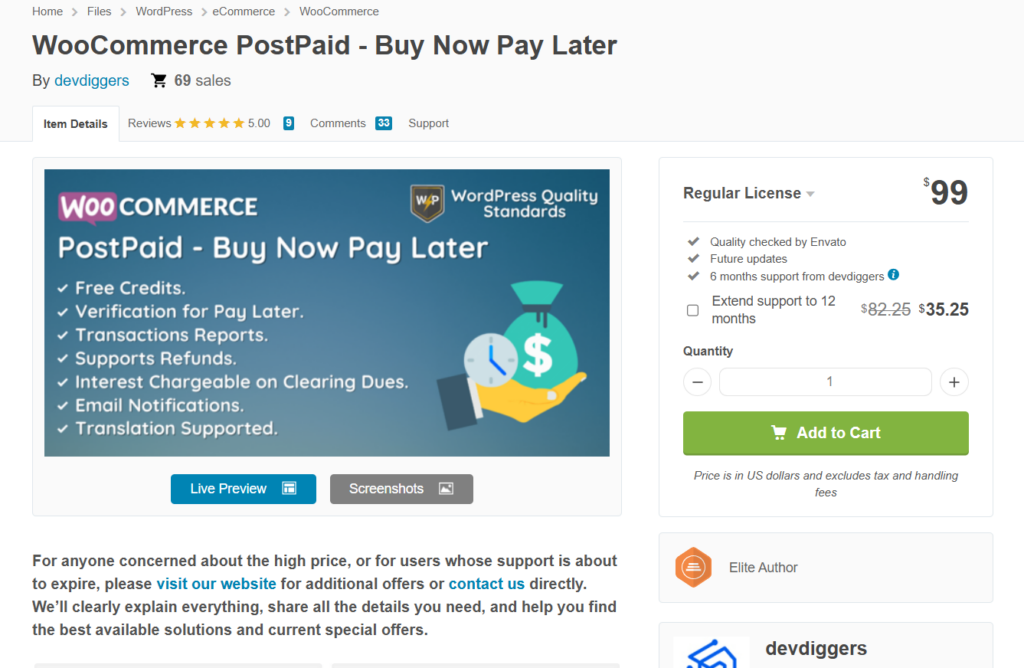
WooCommerce PostPaid lets customers check out without paying, up to a credit limit the store admin sets per customer, then settle the balance later through any connected payment gateway.
Best for: stores that want a postpaid balance model without routing customers through Affirm, Klarna, or Afterpay.
Features:
- Admin sets a PostPaid balance limit per customer (default $1,000)
- Optional interest on outstanding dues, charged as a percentage or fixed amount
- Customers can re-upload verification documents if a request is rejected
- HPOS-compatible (added in v1.3.1)
- Tracks users, transactions, and configuration from separate admin submenus
Pricing: One-time purchase via CodeCanyon or DevDiggers directly.
Drawback: self-hosted means the store carries default risk directly. No third party absorbs a customer who never pays.
4. Affirm Payments (WooCommerce Gateway Affirm)
Affirm Payments is the official WooCommerce extension for accepting Affirm at checkout, separate from the Affirm option inside WooPayments.
Best for: higher-ticket stores (furniture, electronics, travel) that want Affirm specifically, without bundling it through WooPayments.
Features:
- Interest-free in 30 days, interest-free in 4 biweekly payments, or longer installments up to 36 months
- Supports cart values up to $30,000
- Order minimum/maximum thresholds are configurable (defaults: $50 minimum, $30,000 maximum)
- On-site promotional messaging on product and cart pages
- Cart and checkout block support, HPOS compatible
- Affirm pays the merchant upfront and carries all repayment and fraud risk
Pricing: this WooCommerce BNPL plugin itself is free. Affirm charges merchants a flat fee plus a percentage of purchase value.
Coverage: merchants selling in the United States, United Kingdom, and Canada. Canadian merchants apply separately at info.affirm.com/woocommerce/ca.
Drawback: Affirm decides who qualifies for credit, not the merchant, so approval rates aren’t something the store controls.
5. Klarna for WooCommerce (Krokedil)
Klarna for WooCommerce adds Klarna Payments as a payment method alongside your existing checkout, rather than replacing it.
Best for: stores that want Klarna’s pay-later and installment options without rebuilding checkout around Klarna.
Features:
- On-site messaging on product and cart pages showing available payment options before checkout
- Express checkout for a faster path to purchase
- Order management (capture, cancel, refund) handled from inside WooCommerce once a Klarna order exists
- Customers can save details for one-click purchases on return visits
Coverage: available to merchants in Australia, Austria, Belgium, Canada, Czech Republic, Denmark, Finland, France, Germany, Greece, Ireland, Italy, Netherlands, New Zealand, Norway, Poland, Portugal, Romania, Spain, Sweden, Switzerland, the UK, and the US.
Pricing: this WooCommerce BNPL plugin is free on WP.org. Merchants need an active Klarna agreement with their own negotiated fees.
Drawback: requires a direct Klarna merchant agreement per country. So, expanding into a new Klarna market means a new application, not a settings toggle.
6. Kustom Checkout for WooCommerce
Kustom Checkout is Krokedil’s full checkout replacement, rebuilt from what was previously called Klarna Checkout for WooCommerce.
Kustom Checkout is Krokedil’s full replacement for the checkout experience, rebuilt from what was previously called Klarna Checkout for WooCommerce.
Best for: stores that want an embedded, single-page checkout built around Klarna’s infrastructure but supporting multiple payment methods, not a bolt-on payment option.
Features:
- Embedded checkout replaces the standard WooCommerce checkout page entirely, so Klarna becomes the single payment provider handling the full transaction
- Supports Pay Now, Pay Later, Financing, and Installments within the same embedded flow
- Supports additional payment methods beyond Klarna, including MobilePay
- Kustom Shipping Assistant integration for pickup point selection
- WooCommerce Subscriptions compatible, including renewal order handling
- HPOS compatible, minimum WooCommerce version 9.7
Pricing: free WooCommerce BNPL plugin on WordPress.org. Requires a Klarna merchant agreement with its own fee terms, same as Klarna for WooCommerce.
Drawback: replacing the entire checkout page is a bigger commitment than adding a payment method. Stores with heavily customized checkouts should expect more setup work than a toggle-based option.
7. Zip North America Gateway
Zip North America Gateway is Zip’s official WooCommerce plugin (formerly branded QuadPay), splitting a purchase into 4 installments.
Best for: US and Canadian stores wanting a straightforward 4-payment split without a long financing term.
Features:
- Product-page widget shows the split total below the price, e.g. “or 4 payments of $50.00 with Zip” on a $200 item
- Widget also appears on the cart/mini-cart page
- Customers confirm the purchase on a secure Zip-hosted page, then return to the store
- Refunds processed through the order’s Refund via Zip button automatically credit the customer’s installments; manual refunds don’t notify Zip
- Canada checkout support included
Pricing: the plugin itself is free to install; a Zip North America merchant account is required, set up through Zip’s signup form. Zip’s own marketing claims conversion and AOV lifts (20% and up to 60%, respectively), which are the vendor’s figures, not independently verified.
Drawback: limited to a fixed 4-installment structure. No option for longer terms like Affirm’s up to-36-month plans.
8. B2B Payments for WooCommerce
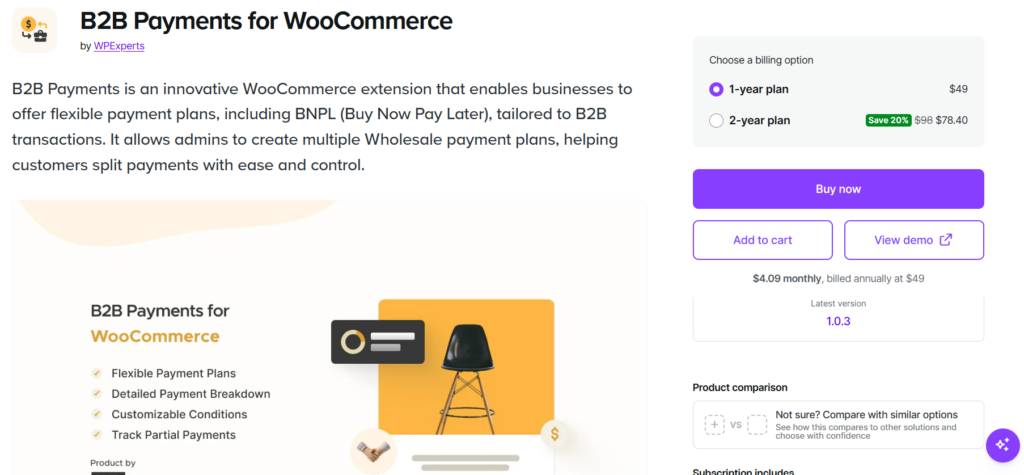
B2B Payments is a WooCommerce BNPL plugin built specifically for wholesale and B2B transactions rather than consumer checkout.
Best for: stores selling to business accounts that need installment plans tied to user roles, cart totals, or specific products, not a general consumer BNPL option.
Features:
- Admin creates multiple payment plans with different conditions per plan
- Plans can be restricted by user, user role (e.g. wholesaler vs retailer), payment method, cart total range, or specific products
- Checkout page shows a payment plan breakdown so customers see installment amounts and due dates
- Automated email reminders for upcoming and overdue payments
- Pending B2B payments tracked directly inside each order’s details in the WooCommerce dashboard
- Cart and checkout block support, HPOS compatible
Pricing: $49/year for a 1-year plan, or $98/2 years (discounted to $78.40). Includes a 30-day money-back guarantee.
Drawback: built around B2B conditions like user roles and wholesale accounts, so it’s not the right tool for a general consumer-facing storefront.
9. WooCommerce PayPal Payments (Pay Later)
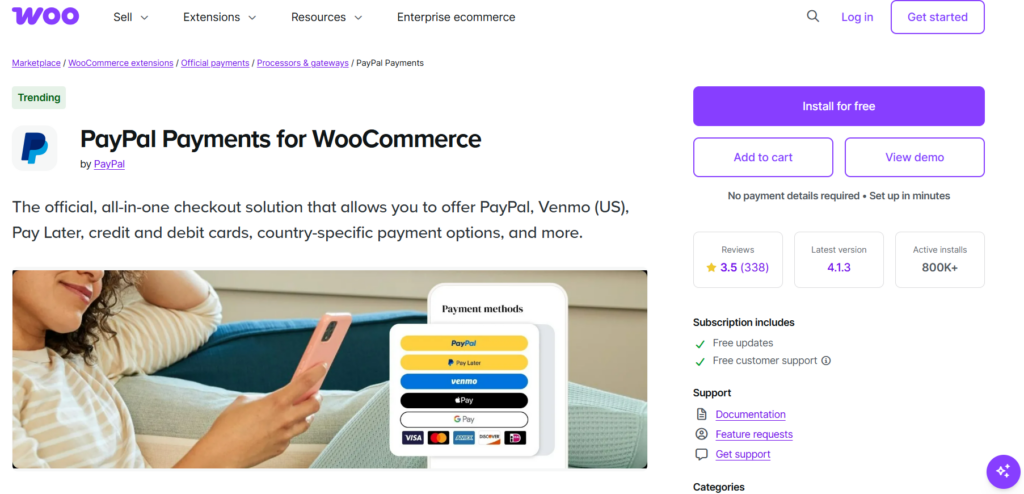
WooCommerce PayPal Payments is PayPal’s official all-in-one extension, and Pay Later is one of several payment options built into it alongside standard PayPal checkout, Venmo, and card processing.
Best for: stores that already accept PayPal and want Pay Later messaging without adding a separate BNPL plugin.
Features:
- Pay in 4: eligible US buyers split purchases of $30 to $1,500 into 4 interest-free payments
- Pay Monthly: eligible US buyers choose 6, 12, or 24 monthly installments on purchases from $199 to $10,000
- Pay Later messaging displays automatically on product, cart, and checkout pages, showing the offer most relevant to the customer
- Merchant is paid upfront; PayPal carries the financing
- Also bundles Venmo (US), Fastlane, and both standard and advanced card processing in the same plugin
Pricing: the plugin is free. PayPal’s standard transaction processing fees apply; Pay Later itself adds no extra cost to the merchant beyond that.
Coverage: Pay Later availability varies by country. The US supports Pay in 4 and Pay Monthly; Canada and Australia currently support Pay in 4 only.
Drawback: Pay Later eligibility and offer type depend on the customer’s country and PayPal’s own underwriting per transaction.
How to choose a WooCommerce BNPL plugins
Start with who you want holding the risk. Provider-run options (WooPayments BNPL, Affirm Payments, Klarna for WooCommerce, Kustom Checkout, Zip, PayPal Pay Later) hand the credit check and default risk to the provider. You lose a percentage of the transaction for that.
That choice is also part of sales funnel optimization, since payment flexibility can affect how customers move from product consideration to checkout.
Self-hosted options (Payment Plans for WooCommerce, WooCommerce PostPaid, B2B Payments) keep the full transaction, but a declined installment becomes your team’s problem to chase.
That’s where pairing BNPL with automated follow-up and recovery workflows for the store starts to matter — chasing a declined installment manually doesn’t scale.
Match the plugin to your order size. Zip and PayPal’s Pay in 4 top out around $1,500 to $3,000 per cart. Affirm goes up to $30,000 and supports terms as long as 36 months, so it fits furniture, electronics, and other big-ticket categories better than a 4-payment split does.
Check regional coverage before picking a provider. Affirm only works in the US, UK, and Canada. Klarna for WooCommerce covers over 20 countries, mostly across Europe, North America, and Oceania.
PayPal’s Pay Monthly option is US-only; Canada and Australia currently get Pay in 4 only. A plugin that looks like the obvious pick can turn out to be unavailable for most of your actual customer base.
If your store sells to other businesses rather than individual shoppers, none of the consumer-based WooCommerce BNPL brands fit the workflow. B2B Payments builds plans around user roles, wholesale accounts, and cart minimums instead of a single shopper’s credit profile.
Last Word
Any of these 9 plugins can run a real WooCommerce BNPL option, and the right one comes down to who carries the risk when a payment fails, not which name looks best at checkout. If you’re already on WooPayments, start there.
FAQs on WooCommerce BNPL plugins
Q#1. Does WooCommerce have built-in BNPL?
No. WooCommerce core doesn’t include BNPL. WooPayments, Automattic’s own payment processor extension, adds it, but WooPayments itself is a separate install from WooCommerce, and BNPL availability inside it depends on your account country.
Q#2. What’s the difference between BNPL and a payment plan?
BNPL usually routes the transaction through a third-party lender like Affirm or Klarna, who runs a credit check and carries the default risk. A payment plan plugin keeps the schedule on your own site, charged through your existing gateway, with no external credit check.
Q#3. Is BNPL free to add to WooCommerce?
The plugins themselves are mostly free: WooPayments BNPL, Affirm Payments, Klarna for WooCommerce, Kustom Checkout, Zip, and PayPal Payments all cost nothing to install. The provider’s per-transaction fee is where the real cost sits.
Q#4. Do I need a credit check to offer BNPL?
Only if you use a provider-run option. Affirm, Klarna, Afterpay, Zip, and PayPal Pay Later all run their own credit or eligibility checks on the customer. Splitit and WooCommerce PostPaid skip that step entirely and let the merchant set terms directly.
Q#5. Which WooCommerce BNPL plugin has the lowest fees?
Self-hosted plugins avoid the BNPL provider’s per-transaction fee, since they use your existing payment gateway’s standard processing rate instead. That’s Payment Plans for WooCommerce ($59-$149/year), WooCommerce PostPaid, and B2B Payments ($49/year). The trade-off is that the store carries decline risk instead of a lender.
Q#6. Can I offer BNPL without a third-party provider?
Yes. Payment Plans for WooCommerce and WooCommerce PostPaid both run installments through your own store, without sending the customer to Affirm, Klarna, or another lender for approval.
Q#7. Does BNPL affect my WooCommerce checkout speed?
Provider-run options like Zip and Kustom Checkout redirect the customer to a hosted page for approval before returning them to your store, which adds a step. Self-hosted plans and WooPayments’ in-checkout BNPL toggle keep the customer on your existing checkout flow.
