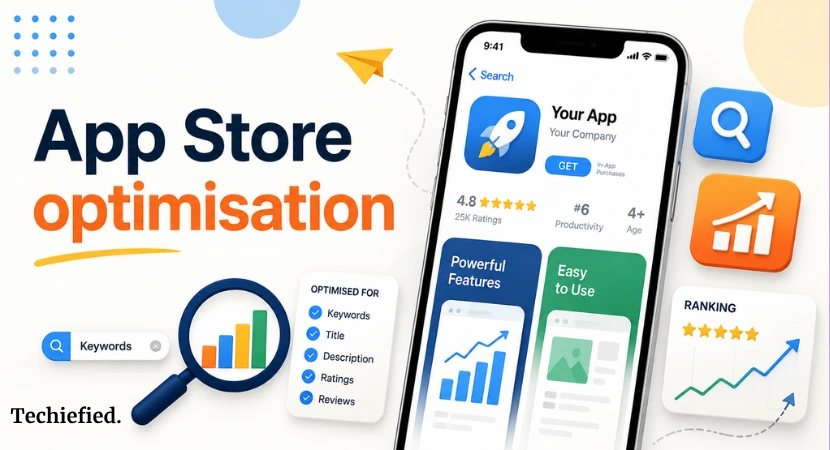
App Store Optimization (ASO) decides whether your iPhone app appears when people search on the App Store. Apple uses your app’s metadata, user engagement, and quality signals to determine where it ranks.
This blog explains how App Store Optimization works in 2026, the ranking factors that matter, and practical ways to increase organic iPhone app downloads without relying only on paid acquisition.
What Is App Store Optimization (ASO)?
App Store Optimization (ASO) is the process of improving your app’s visibility in Apple’s App Store. It increases your chances of organically ranking for relevant searches and getting more organic downloads. ASO focuses on your app’s metadata, ratings, reviews, screenshots, and user engagement.
iPhone apps with strong ASO appear more often when users search for relevant keywords.
How Does the Apple App Store Ranking Algorithm Work?
Apple ranks apps by evaluating two factors: relevance and performance.
Your metadata tells Apple what your app is about, while user behavior shows whether your app deserves a higher position.
Strong performance in both areas increases your chances of ranking for target keywords.
| Ranking factor | What Apple evaluates |
|---|---|
| Metadata relevance | App name, subtitle, keyword field, screenshot captions, category selection |
| Downloads | Volume and consistency of organic installs |
| Conversion rate | How often people install after viewing your listing |
| Ratings and reviews | Average rating, review quality, and recent feedback |
| Retention | Whether users continue using the app after installing |
| App updates | Regular releases with clear release notes and bug fixes |
What Are the Most Important App Store Ranking Factors?
App store uses multiple signals to rank your app organically in search results. Your app metadata tells Apple what your app does, while user engagement shows whether people find it useful.
The biggest app store ranking factors include:
- App name with your primary keyword
- Subtitle with a secondary keyword
- Keyword field without duplicate terms
- Screenshot captions with relevant keywords
- Ratings and recent reviews
- Download volume and conversion rate
- User retention
- Regular app updates
How to Optimize App Metadata for Higher Rankings
Your App Store metadata has the biggest impact on organic keyword rankings. iOS indexes your app name, subtitle, keyword field, and screenshot captions, so every character should support a search term users actually type.
| Metadata field | Best practice |
|---|---|
| App name | Include your primary keyword once. |
| Subtitle | Add a secondary keyword. Don’t repeat the app name. |
| Keyword field | Use all 100 characters. Separate keywords with commas. Remove duplicates. |
| Screenshot captions | Write benefit-focused captions that naturally include relevant keywords. |
| Category | Choose the category that best matches your app. |
Clear, descriptive metadata gives Apple more context and improves your chances of organically ranking for relevant searches.
How to Find the Right App Store Keywords
New apps rarely rank for broad terms with established competitors. Start with niche keywords that closely match your app’s purpose, then expand as your rankings improve. But do not blindly follow the ASO tools difficulty factor.
Target Mid-Popular Keywords for ASO
Don’t chase the obvious keywords like “calorie tracker” or “photo editor” as top players own those. You won’t rank there.
Instead, target keywords with a popularity score between 20–50. Lower competition, realistic ranking chance.
| Don’t Chase “expense tracker” — score 80+ “photo editor” — score 90+ “calorie counter” — score 85+ | Go After “daily expense log” — score 30 “ai photo filter” — score 25 “macro meal planner” — score 28 |
The logic: Ranking #1 for 10 mid-volume keywords generates more combined traffic than ranking #12 for one massive keyword.
How to Optimize App Store Screenshots for Search and Conversions
Your screenshots affect both tap-through rate and installs. Apple also indexes text in screenshot captions, so they can support your App Store SEO when written well.
| New in June 2025 — Screenshots Now Rank You Apple started reading the text on your screenshot captions and indexing it as keyword metadata. Most founders still don’t know this. |
- Put your most important keywords in the captions of your first 3 screenshots
- Replace generic captions like “Simple. Fast. Easy.” with keyword-aware copy like “Track your daily expenses automatically”
- Screenshot keywords don’t compete with your name/subtitle/keyword field. They add to your total keyword coverage
| Before“ Simple. Fast. Easy.” | After“ Build better habits daily” |
How to Get More App Store Ratings and Reviews
Ratings influence how users and Apple evaluate your app. Apple also gives more weight to recent reviews. Ask for a app rating after a positive moment, such as:
- Completing onboarding
- Finishing the first task
- Reaching a milestone
Use Apple’s in-app review prompt and avoid offering rewards for reviews. Incentivized ratings violate the app store review guidelines and can lead to rejection.
How Apple Search Ads Improve Your ASO Strategy
65% of App Store downloads come from search.
Apple search ads don’t directly increase your organic rankings. They show you which search terms bring installs, giving you real data instead of guesswork.
Turn on Search Match in your campaigns to discover new keywords. If users consistently install your app after searching a specific term. Consider adding that keyword to your app name, subtitle, or keyword field where appropriate.
Use Apple Search Ads to:
- Find high-converting keywords
- Measure search intent
- Improve your metadata
- Test new keyword opportunities
Why App Retention Affects App Store Optimization Rankings
Downloads alone don’t keep an app at the top of search results. Apple also looks at what users do after installing your app.
Track these retention metrics:
- Day 1 retention: Aim for 35% or higher
- Day 7 retention: Aim for 15% or higher
Improve retention by reducing onboarding friction, fixing crashes, and helping users reach value quickly. Higher retention often leads to better ratings, stronger engagement, and more stable App Store rankings over time.
Why Regular App Updates Matter for Organic ASO
Regular updates tell Apple your app is actively maintained. They also give you more opportunities to fix bugs, improve performance, and respond to user feedback.
According to the original ASO guide and industry analysis from AppTweak, most top-ranking App Store apps receive updates at least once a month.
Every new release triggers Apple to review your updated app listing again.
Update your app every 2 to 4 weeks when possible and write clear release notes that explain what changed.
Even small bug fixes show users and Apple that your iPhone app is receiving ongoing support.
Common App Store Optimization Mistakes to Avoid
- Repeating keywords across your app name, subtitle, and keyword field. Apple ignores duplicate keywords, so you waste valuable character space.
- Using competitor or brand names in your metadata. This violates Apple’s App Store Review Guidelines and can result in rejection.
- Buying ratings or reviews. Apple detects unusual review patterns and may remove ratings or suspend developer accounts.
- Offering rewards for reviews. Free features, discounts, or incentives in exchange for ratings are against Apple’s policies.
- Leaving your app unchanged for months. Outdated apps often lose user trust and search visibility over time.
App Store Optimization Checklist to Rank iPhone App Organically
Review this app store optimization checklist before every update.
☐ App name includes your primary keyword.
☐ Subtitle contains a different secondary keyword.
☐ Keyword field uses all available characters without duplicate terms.
☐ First three screenshot captions include relevant keywords.
☐ Rating prompt appears after a successful user action.
☐ Apple Search Ads Search Match is collecting new keyword ideas.
☐ Day 1 and Day 7 retention are tracked.
☐ The app has been updated within the last 30 days.
☐ Release notes clearly describe the latest improvements.
☐ No competitor names or repeated keywords appear in your metadata.
This checklist covers the main organic iPhone app ranking signals you can control before submitting your next App Store update.
5 Best App Store Optimization Tools to Organically Rank iPhone App
Here are five top app store optimization tools used widely.
| Tool | Best for |
|---|---|
| AppTweak | Keyword research, keyword tracking, competitor analysis |
| AppFollow | Review management, keyword tracking, ASO reports |
| Sensor Tower | Search volume estimates, market trends, competitor insights |
| Apple Search Ads | Discovering high-converting keywords from real user searches |
| App Store Connect | Monitor impressions, downloads, retention, ratings, and conversion rates |
Ending Note on Organic App Store Optimization
App store optimization to rank iPhone app organically is an ongoing process. Strong metadata, relevant keywords, clear screenshots, regular updates, positive reviews, and healthy retention all contribute to better App Store rankings.
Start with the basics and improve one area at a time. Small, consistent app updates often produce better long-term growth than making large changes all at once.
